VibeView puts your build in front of everyone who needs it: in your docs, on your pricing page, or behind a link that needs no install and no account. Device clouds stop at your QA team.
Most teams who outgrow BrowserStack are not stuck on hardware. They are stuck on access. Most other options are device clouds too, which means they inherit the same problem. A device cloud is a place your QA team goes. The PM, the designer, the support agent, the docs writer and the prospect on your pricing page all need a login and a reason to learn a testing dashboard, so in practice they never open the build at all.
This page compares VibeView with BrowserStack directly. To weigh the whole field, Sauce Labs and TestMu AI included, see BrowserStack alternatives compared.
VibeView puts the build where those people already are. It drops into your own web page as a component, and a link plays the app in a browser with no install and no account. BrowserStack's own documentation describes no way to do that.
See it before you weigh it
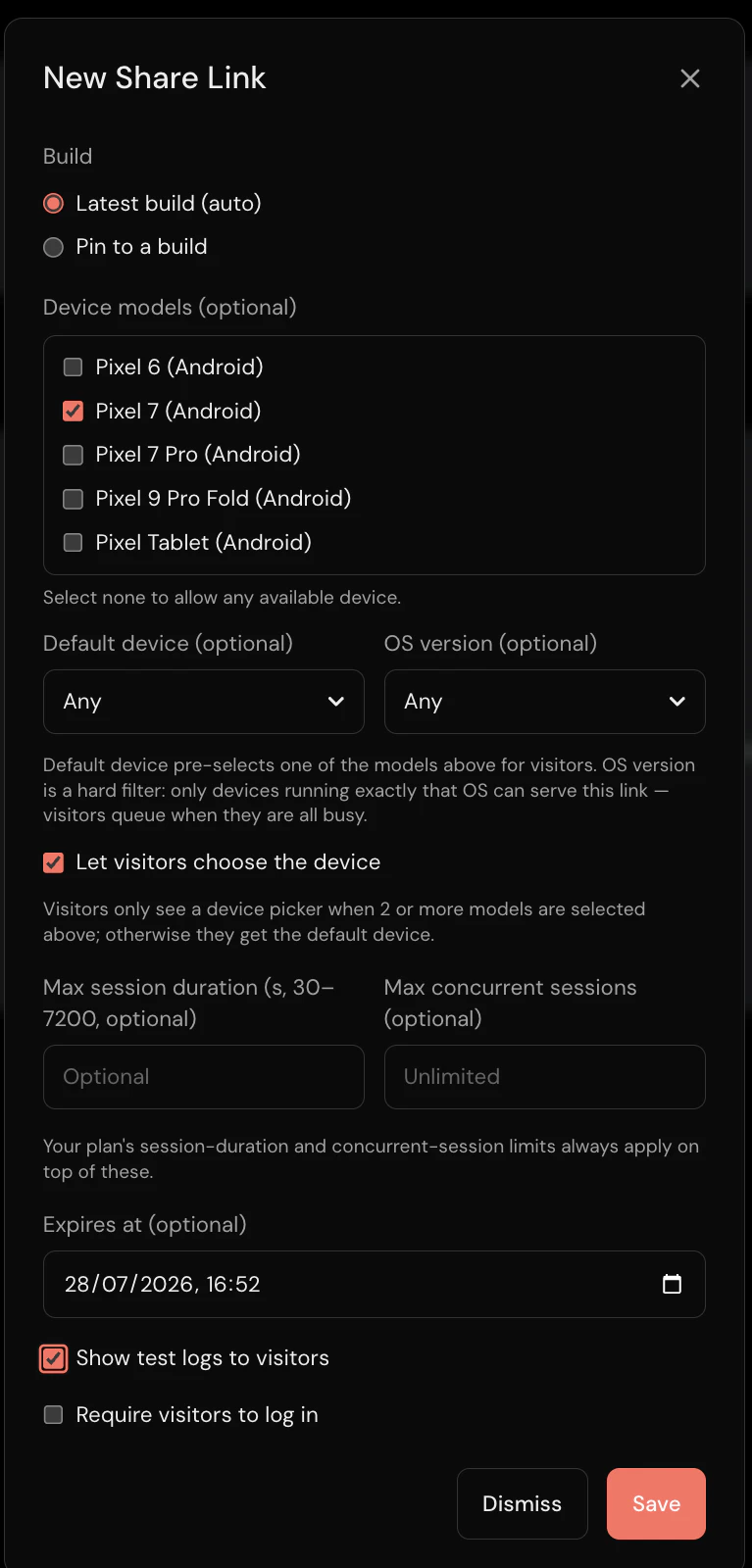
Open a VibeView link and use a real build in your browser — no install, no account, no seat assigned to you. Then put your own build on the free tier: 2 sessions at once, 30 streaming minutes, $1 of usage credit, no card.
Where VibeView and BrowserStack differ
| What you are deciding | VibeView | BrowserStack |
|---|---|---|
| Can the device live inside your own docs or pricing page? | Yes — a component or a share link, revocable, pinnable to one build | No SDK for this is described in their Live documentation; the documented embed is Bug Capture, a reporting widget |
| Does model spend land on your AI bill or your testing bill? | Your own provider key, on every plan including free — billed at their rate, with nothing added by us | AI is built in, including a self-healing agent; no documented way to supply your own key |
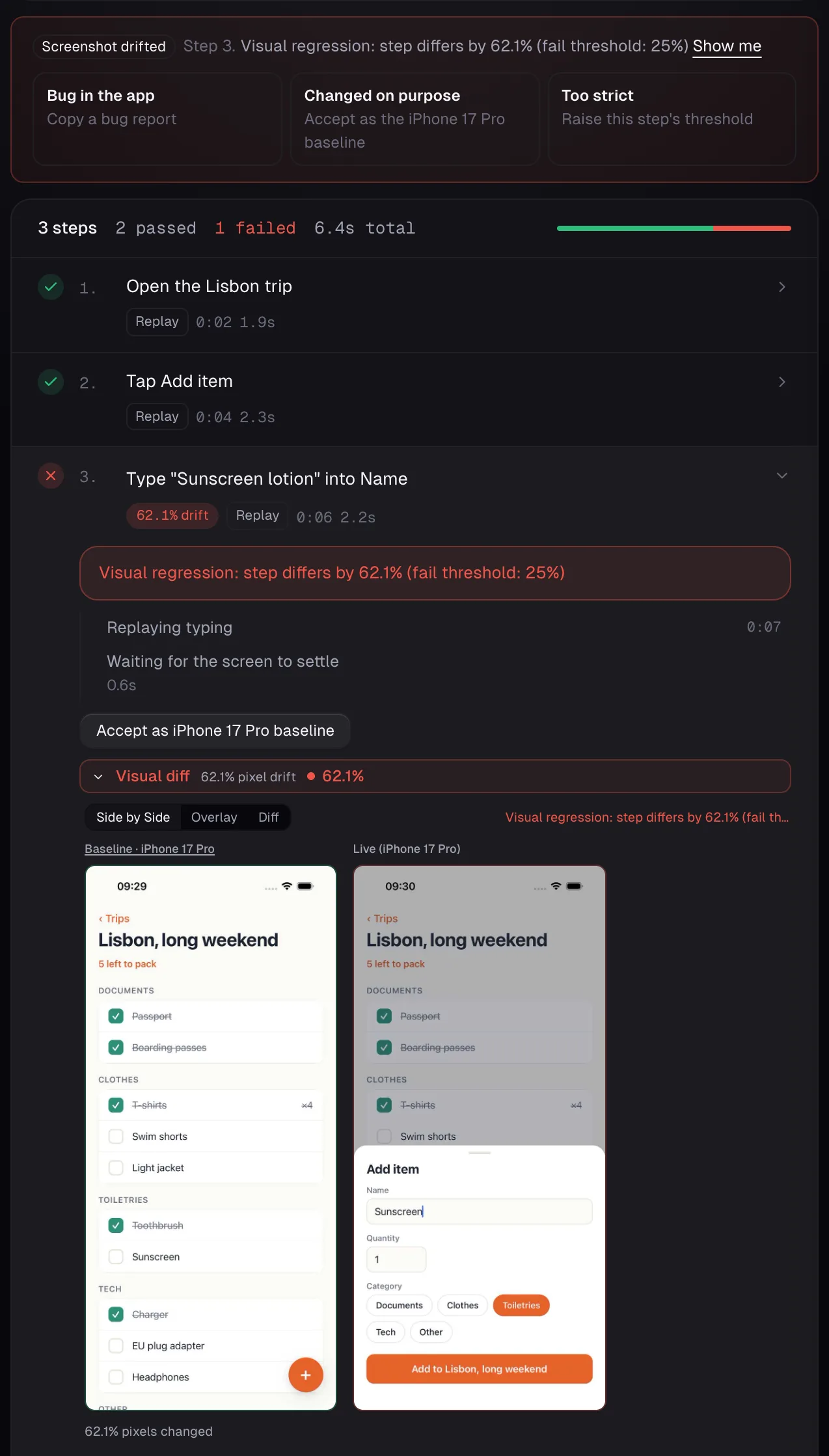
| Does the run stop at the step where the screen broke? | Yes — checked after every step, mid-run, with the difference attached | Percy compares screenshots once the tests have run |
| Can you reload your local code onto a live device? | Yes — vibeview dev connects the streamed device to the
Metro bundler running in your local React Native project, so Fast Refresh lands on
the cloud device about a second after you save. Cloud-build the iOS development
build, so there is no Mac of your own; everyday JavaScript and asset edits never
need a new build, only adding or changing a native dependency does
| Their VS Code extension reloads an in-development website in the remote browser — a different thing from a native app on a device |
| Can several people join and interact with the same live session at once? | Yes — a host mints a link and guests join the running session as viewers or controllers, live | Not documented — their session recording is a video of up to 20 minutes that you download afterwards |
| What does access for a team of five cost? | Team: $49 a month for the whole organization, up to 10 members, 3,000 streaming minutes, then $0.02 a minute | Live Team: $150 a month, billed annually, for 5 users |
| Can you test a TV app today, on any plan? | Yes, self-serve, on every plan including free — Apple TV and Android TV beside phone and tablet, plus physical Roku devices, used live, recorded or driven by an agent | Appium tests in App Automate on Fire TV, Nvidia Shield, Apple TV 4K and Roku TV, as an alpha release: its docs say to contact support for access, and its smart TV page asks you to sign up for early access |
| Can you read the device's debug logs? | Yes | Yes — Logcat and Console in the DevTools pane |
That is the short version: the log row is a tie, and every deciding row comes down to putting the build in front of a person, testing without a script, testing a TV app without waiting for access, or keeping costs under control.
Try it on your own build
Skip the table and run the comparison yourself. Upload your own .app or .apk, share it with a link (any plan; embedding starts on Team), and
put it in front of one non-engineer — the free tier is enough to see whether they get
anywhere without asking you a question.
What else you get with VibeView
A link anyone can open
Send a running build to a PM, a support lead or a prospect. No install, no account, no seat. You choose the devices, the session length and when the link stops working.
The build you already make
Upload the development build your team produces every day. No signing, no release process, no waiting on a store to put a change in front of someone.
Your laptop, on a cloud phone
Cloud-build the iOS development build of your React Native app, then point vibeview dev at your project: the cloud iPhone updates about a second after
you save, from Windows or Linux, with no Mac of your own.
Tests without scripts
Record a flow by using the app, or describe it in words. Smart replay hands a step the screen changed under to an AI agent (beta), which finds it and carries on, and a described test learns its path from a passing run, so later runs replay it.
Your coding agent drives the device
The CLI and MCP server let a coding agent open a device, read the screen, tap and type. The same CLI builds your app in the cloud and submits the signed build to TestFlight, a Google Play track or the Amazon Appstore.
Your own AI key
Bring a key from your own provider on every plan, including the free one. Model spend lands on their invoice at their rate, with nothing added by us.
Priced per company, not per person
From Team up, adding the support team, a designer or a salesperson is a decision you make once — no seat to buy, no license to reassign. Team size scales with your plan — 1 member on Free, up to 10 members on Team, no member limit on Business — and nobody on it costs extra.
A bill with a ceiling
Streaming is metered, and overage can be switched off entirely so sessions stop rather than bill you. You set the number your finance team has to live with.
Record one flow before you decide
Tap through your app once, save it, then change a label in your code and run it again. Ten minutes, free tier, no card. That one run tells you more than the rest of this page.
We run simulators and emulators, not physical phones, and don't capture network traffic yet; BrowserStack rents 35,000+ real devices, exports network logs as HAR files and runs existing Appium/XCUITest suites. Which of your bugs fall on which side is a shorter list than it sounds: simulator vs physical device testing works through it row by row.
Model your worst month, not your average one
Add up the minutes a release week would really burn, then set overage to stop rather than bill. Send us your release-week workload and we'll price it exactly, with overage capped.
Frequently asked questions
Should we switch from BrowserStack to VibeView?
Switch if your problem is getting a build to people and testing it without writing scripts: a device in your own page or behind a no-account link, flows recorded once and replayed by Smart replay, and a coding agent that can drive the device. We run simulators and emulators, not physical phones, and don't capture network traffic yet; BrowserStack rents 35,000+ real devices, exports network logs as HAR files and runs existing Appium/XCUITest suites.
Can you embed a BrowserStack device in your own web page?
Not according to their documentation. BrowserStack documents launching Live sessions from its dashboard and its VS Code extension, and the one embeddable piece it documents is Bug Capture, a bug-reporting widget. VibeView ships a component and a share link for exactly that.
We already have Appium suites. Do we throw them away?
Keep the scripts if you like. Record a flow once in VibeView and Smart replay runs it on iOS and Android alike (a TV flow on Apple TV and Android TV), with no script to maintain. Maestro flows import directly.
What does one person cost before they can look at a build?
Nothing extra per person on VibeView from Team up — you pay per company, not per seat, and the free tier is a tier rather than a trial. Team size scales with the plan (1 member on Free, up to 10 members on Team, no member limit on Business), but nobody on it costs extra. BrowserStack's Live plans are sold per user — its Freelancer and Desktop & Mobile plans are single-user — so four people who need occasional access is four decisions on one side, and a plan choice on the other.
Does BrowserStack test smart TV apps?
Only as an alpha. On October 23, 2026, App Automate ran Appium tests on Fire TV, Nvidia Shield, Apple TV 4K and Roku TV for accounts given access by its support team, and its smart TV page asked visitors to sign up for early access. On VibeView, Apple TV, Android TV and physical Roku devices are available on every plan: use them live in the browser, record tests on them, let an agent drive them, or import Maestro flows to run on them.
What does it cost us if the bill runs away?
It cannot. Overage draws down usage credit, and you can switch overage off so sessions hard-stop instead of billing. Model the worst week of a release, set the ceiling, and it will hold.
Try it on your own build
Put your current build on the free tier and send a link to one person who is not an engineer — the PM, a support lead, the prospect who asked for a demo. If they open it and get somewhere without asking you a question, that is the whole argument, proved on your app in ten minutes.
Published July 28, 2026 · Updated October 30, 2026 · BrowserStack capabilities verified October 23, 2026 · pricing verified October 30, 2026