If you are searching for a LambdaTest alternative because a running build needs to reach someone who will never install it — the PM, the support lead, the designer, the prospect halfway down your pricing page — that is the job VibeView is built for. A live iOS simulator or Android emulator plays inside your own web page, or behind a link that needs no install and no account.
One thing to know before you price anything: LambdaTest rebranded to TestMu AI on 12 January 2026, and its pricing page is now headed "Agentic Platform for Quality Engineering". That pricing is presented as ten products, most with their own plans, rather than the single subscription you may remember. It lists real devices, browser testing on desktop and mobile, virtual devices (simulators and emulators) for app automation, and TV app automation across Roku, Apple TV 4K, Android TV and FireTV.
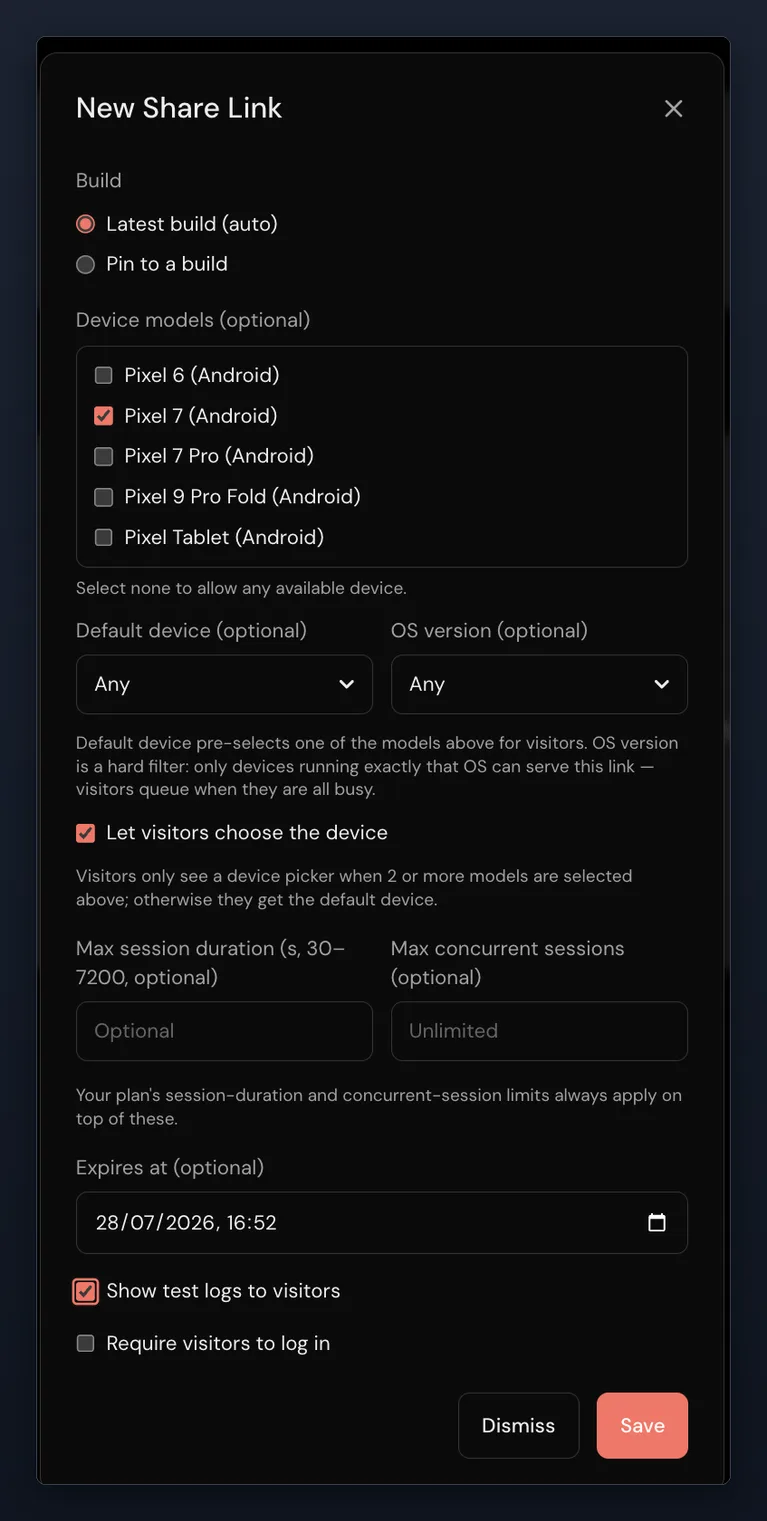
Check it on your own build first. Put your current build on the free tier and send one link to someone who is not an engineer. 2 sessions at once, 30 streaming minutes, $1 of usage credit, no card. Free sessions last 5 minutes each.
LambdaTest alternatives: how VibeView compares
| What you are deciding | VibeView | LambdaTest (TestMu AI) |
|---|---|---|
| Can the device live inside your own docs or pricing page? | Yes — a React component (1 domain on Team, unlimited domains on Business) or a share link, revocable, pinnable to one build | Not in their documentation — their docs start sessions inside their dashboard: pick a device and click Start, with a tunnel for locally hosted sites |
| Can several people join and interact with the same live session at once? | Yes — invite guests into the running session by link; they join live and can watch or drive | Not in their documentation for app sessions — sharing is documented as a link to a test's results, built from its session ID; Live Interaction, which lets you take manual control of an automated session, covers desktop browsers (not Safari) for up to 15 minutes |
| Do you know which model ran your test, and whose invoice it lands on? | Your own provider key on every plan including free; each run records the model and the cost | Not in their documentation — the KaneAI FAQ names no model and no way to bring your own provider key; KaneAI is sold per agent |
| How many products do you buy to cover one app? | One — $0 to $249 a month, with streaming, AI and cloud builds on one bill | Ten products on the pricing page (October 2026), most with their own plans, priced by parallel test, by seat (Test Manager), by agent (KaneAI: $17, $89 or $179 an agent a month, billed annually), by unit or by license |
| Can you reload your local code onto a cloud device? | Yes — your React Native app on a cloud phone about a second after you save, including iPhone from Windows or Linux | Not in their documentation — builds are uploaded from CI or the dashboard, then launched on a device |
| What happens when a screen looks different? | Every step is compared with a baseline; a new group warns at 30% and the run continues, and a fail threshold set on the group or step stops the run at the step that crossed it | SmartUI captures screenshots triggered from automation scripts at chosen points and compares them across builds |
That is the short version of VibeView vs LambdaTest. Most of those rows come back to two questions: whether a person who does not live in a testing dashboard can reach your app, and whether you can see what the automation did and what it cost.
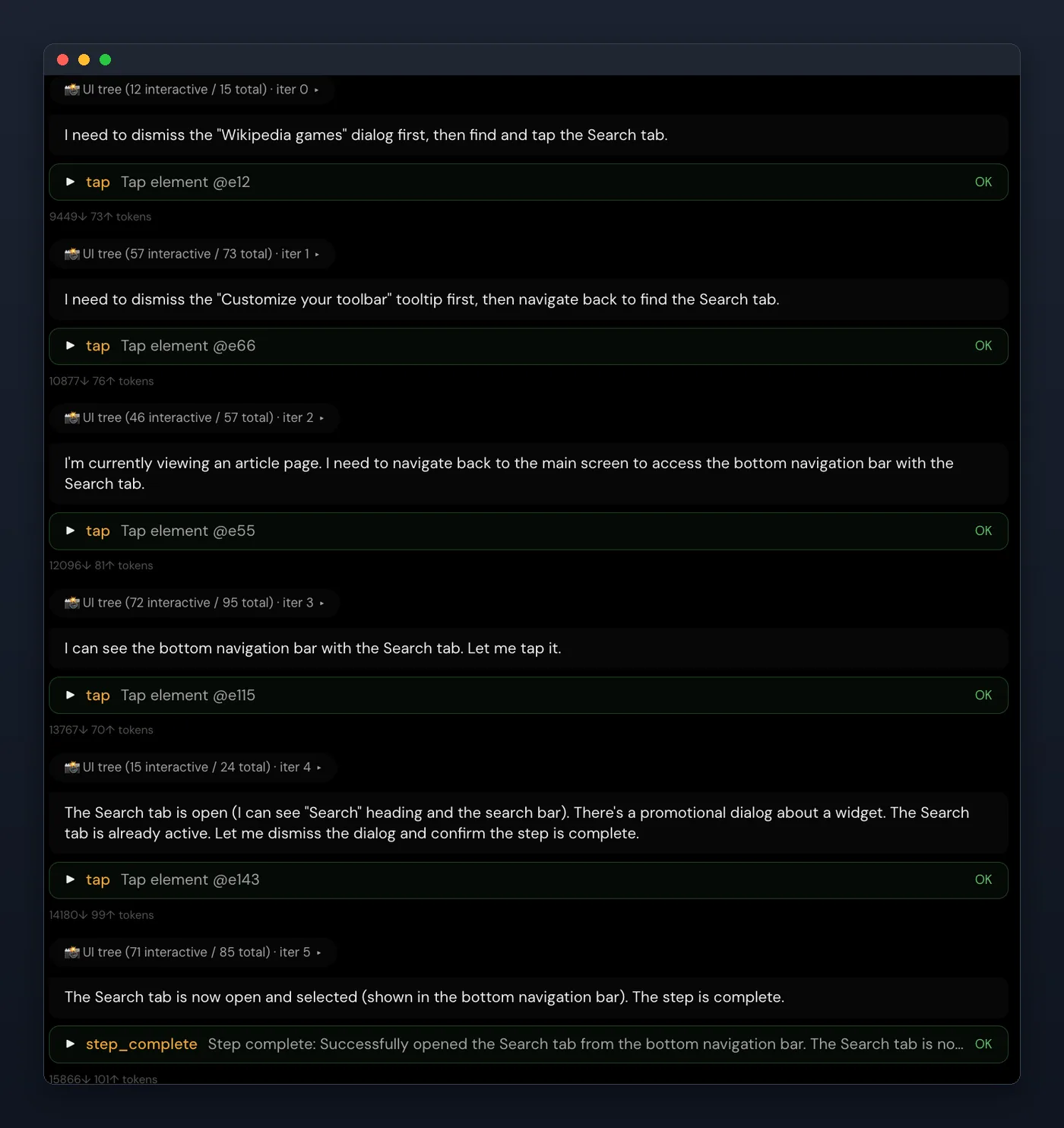
When a test fails, the question is always the same: what did it actually do? Every iteration the agent took is kept — what it saw, what it decided, which element it tapped and what came back. You debug a transcript, not a verdict.
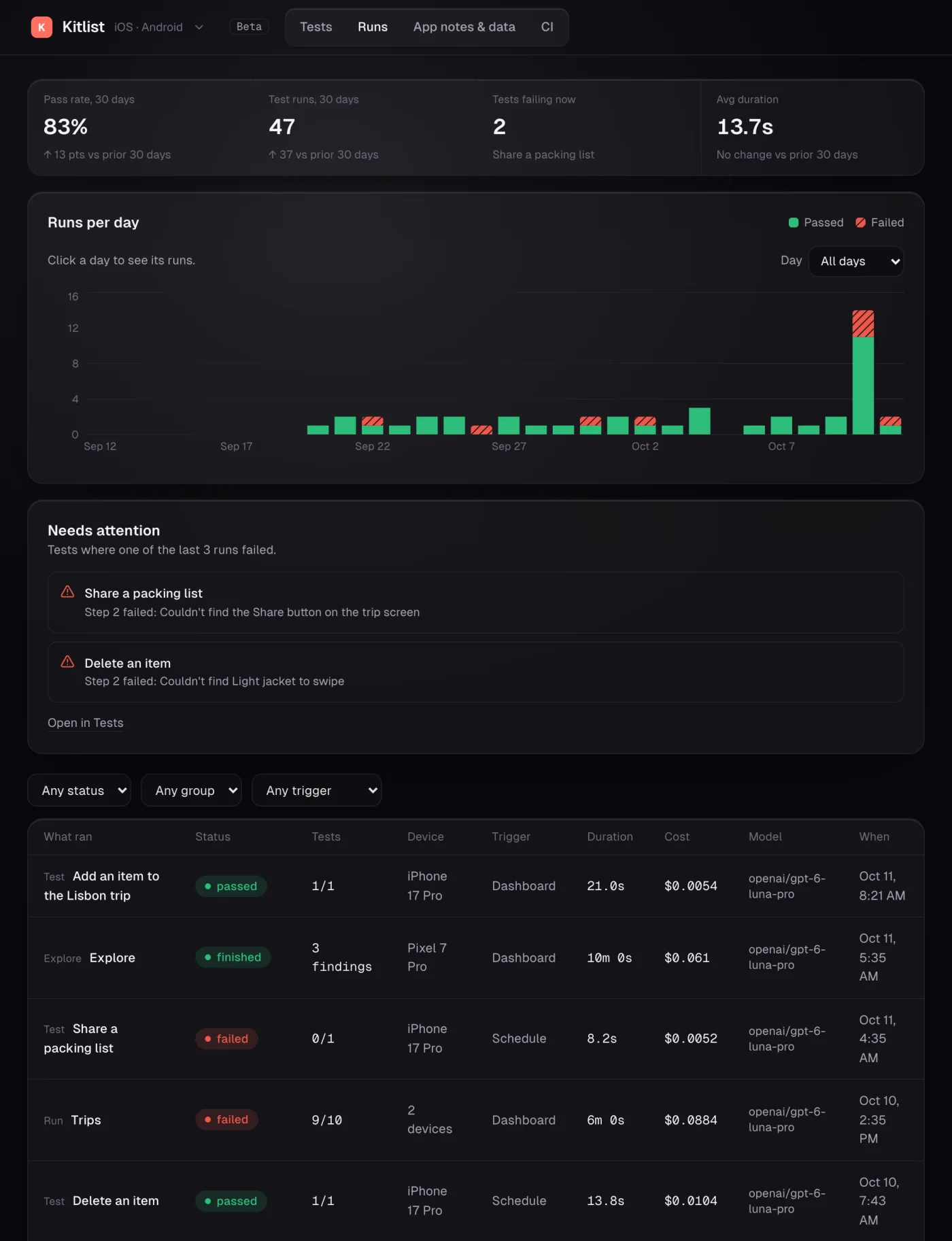
The same goes for what it cost. Every run is stored with its duration, its outcome, the model that drove it and the price of that run, so the AI line on your bill has a per-run breakdown behind it.
What else you get with VibeView
A link for people who never log in
Send a running build to someone outside engineering. You pick which devices the link offers, how long a session lasts and the day it stops working.
Your own AI key, or none
Bring a key from Anthropic, OpenAI, Google or OpenRouter on any plan, including free. Model spend is billed on your provider's invoice. Without a key, AI runs draw on your usage credit instead.
Record once, run on the other platform
A test recorded on one platform runs on the other platform of the same form factor: iPhone and Android phone, or Apple TV and Android TV. Recorded steps replay as captured, and an AI agent (beta) takes over only where the screen actually changed.
Live reload from your editor
vibeview dev connects your React Native app on a cloud device to Metro on your machine, so a save shows up about a second later — and no Mac is needed for iPhone.
Phones and TVs in one account
Apple TV and Android TV tests record the element that had focus, so replay moves the remote to it instead of repeating presses. Roku runs on physical hardware: upload your channel, drive it and record tests on it.
A bill with a ceiling
Streaming is metered, and with overage switched off, sessions stop at your included minutes instead of billing you. Your finance team gets the plan price, not a surprise.
We don't rent physical phones or a desktop-browser grid, and we don't capture network traffic yet.

Try it on your own build
Pick one flow that someone outside engineering keeps asking about, send them a link to it on your build, and see whether they find their way without a walkthrough.
2 sessions at once, 30 streaming minutes, $1 of usage credit, no card — enough for that test. The pricing page has the paid plans.
Published 30 July 2026 · Updated 23 October 2026 · LambdaTest (TestMu AI) pricing and capabilities verified 23 October 2026