Sauce Labs will share a session with you. Their session-sharing documentation for iOS live accessibility testing says the person you share it with must be logged in to a Sauce Labs account to view the shared session. Finished virtual-device test results can be made public or shared by link with no login; it is the shared live accessibility session that is for logged-in users. If you are here, that may be your problem too: a PM, a support lead or a prospect has to log in before they can watch the running build.
VibeView starts from the other end. A link plays your running app in the browser with no install and no account; requiring visitors to log in is a checkbox, and it starts unticked.
The login option sits on the link itself, beside the devices, the session length and the expiry.
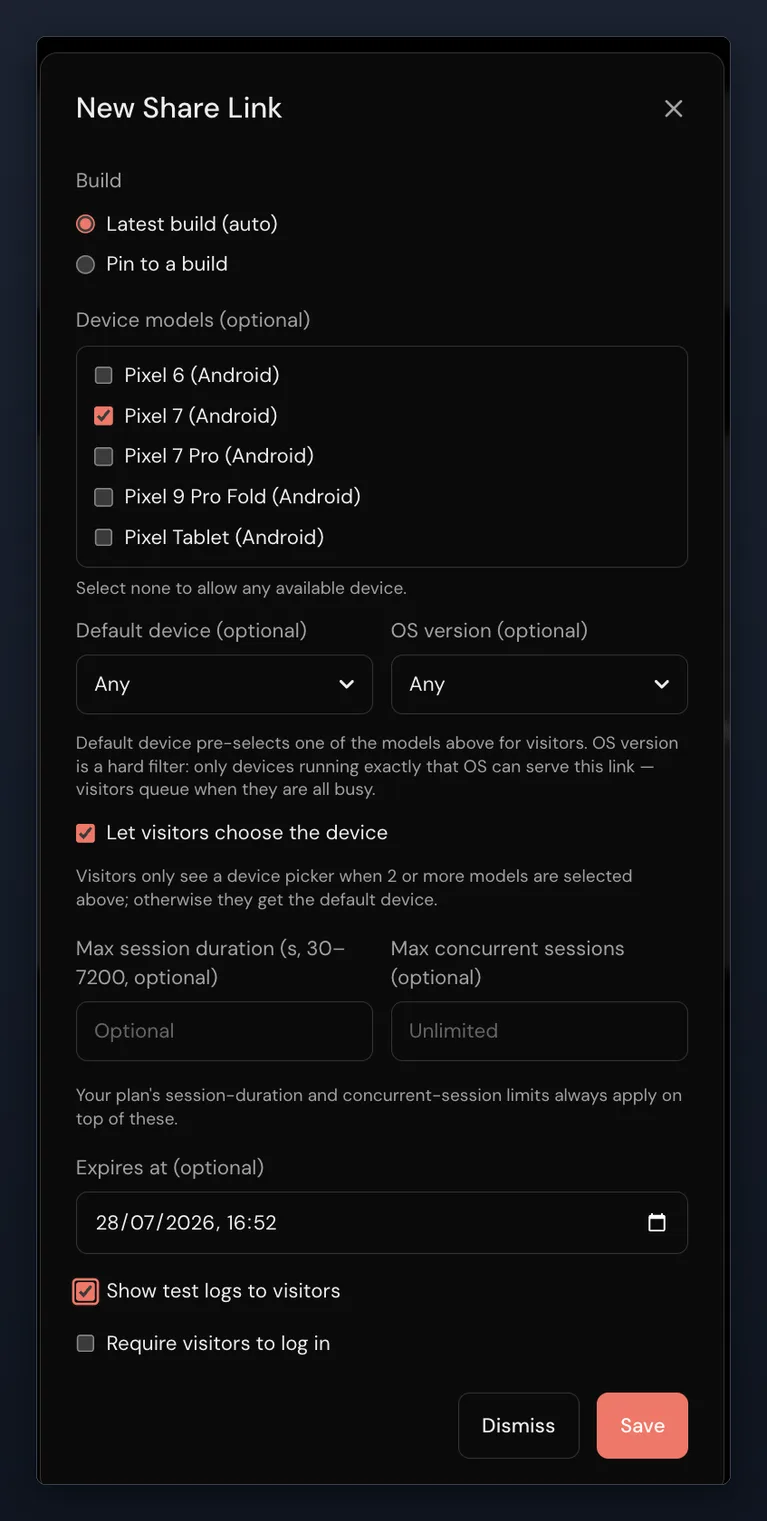
Try it on someone who is not an engineer. Share your current build from the free tier with login switched off. 2 sessions at once, 30 streaming minutes, $1 of usage credit, no card.
Sauce Labs alternatives: how VibeView compares
| What you are deciding | VibeView | Sauce Labs |
|---|---|---|
| Can someone view the build without an account? | Yes — the link plays the running app; requiring a login is a per-link option, off by default | Their iOS live accessibility testing docs: Share Device gives a link via Get Link, and viewers must be logged in to a Sauce Labs account to view the shared session; finished virtual-device results can be shared without a login |
| Can several people join and interact with the same live session at once? | Yes — guests open the host's link and join the running session live, with no account; each can watch or take the controls | Partial — documented as follow-along viewing: a logged-in viewer follows your session live while one person drives |
| How many tests run at once on an entry plan? | 2 free, 10 on Business at $249 a month, shared across the whole organization | One parallel test on each self-serve plan: Live Testing $39 a month billed annually or $49 month to month, Virtual Device Cloud $149 or $199, and their real-device cloud $199 or $249, each with unlimited users (October 2026) |
| Is the free option a tier or a trial? | A tier — free indefinitely, no card, 2 sessions and 30 streaming minutes refilling monthly, in 5-minute sessions | A free 28-day trial that includes 60 automated and live testing minutes, with no credit card required |
| Whose model authors the tests, and whose invoice? | Your own provider key on every plan including free; each run records the model and what it cost | Sauce AI for Test Authoring turns a natural-language prompt into editable test cases; their pricing page lists access to the AI authoring and insights agents with their top, sales-led tier |
| Can you test TV apps? | Yes — Apple TV and Android TV beside phone and tablet, and Roku on real hardware | Their pricing page names real Android and iOS devices, emulators, simulators and desktop browsers, and no TV platform |
| How do you catch a visual change? | After every step, against thresholds set per group: a new group warns at 30% and carries on; set a fail threshold and the run stops at that step | Sauce Visual Testing compares snapshots to a baseline, with side-by-side views and DOM diff inspection |
Read down the VibeView column and one theme repeats: how little has to happen before someone who is not a tester can see your app.
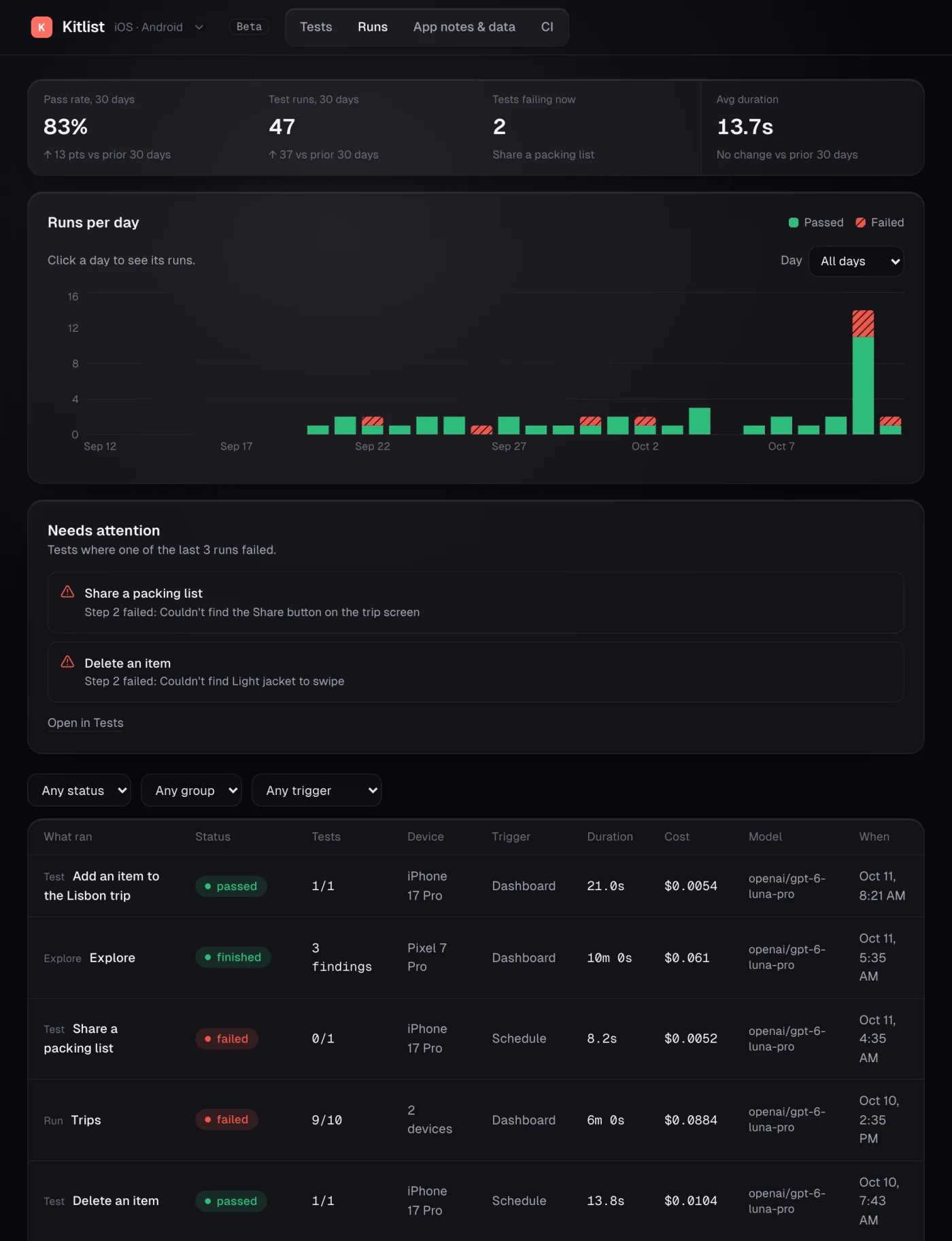
Every run is stored with its duration, outcome, model and cost. With your own provider key, the model spend is on your provider's invoice at their rate, and you can trace any line of it back to the run that caused it.
What else you get with VibeView
Share a build, not an account
Send a PM, a support lead or a prospect a link and they are in. Pick the devices, the session length and the expiry, and revoke it in one click.
The app inside your own page
Embed the running app in your docs, changelog or pricing page with the SDK — 1 domain on Team, unlimited domains on Business — so readers try it without leaving the page.
Hot reload on a cloud iPhone
Run vibeview dev in your React Native project and each save shows on the cloud device about a second later — iPhone included, from Windows or Linux.
Recordings that survive a redesign
Recorded steps replay exactly as captured. An AI agent (beta) takes over only at a step whose screen changed, so one moved button does not cost you a morning.
TV in the same account
Apple TV and Android TV sessions move focus the way a remote does, and Roku runs on physical hardware: upload a channel, drive it, inspect its UI and record tests on it.
Minutes that stop instead of billing
Turn streaming overage off and sessions end at your included minutes instead of drawing on credit, so the monthly number is the plan price.
Our limits against Sauce Labs: no physical phones, no desktop browsers, and no network traffic capture yet.

Try it on your own build
Upload the build your team made this morning and send one link to someone outside engineering. Watch whether they get anywhere without asking you a question. Ten minutes on your own app settles it.
2 sessions at once, 30 streaming minutes, $1 of usage credit, no card. The pricing page lists every plan; if your workload doesn't obviously fit one, tell us and we will say so.
Published 30 July 2026 · Updated 23 October 2026 · Sauce Labs pricing and capabilities verified 23 October 2026