If your app is React Native, look at Detox. If it is native iOS only, use XCUITest — it already ships with Xcode. If you want one tool across platforms without writing driver code, look at Maestro. And if you are staying on Appium, the honest answer is that a mature suite is usually worth keeping.
Who this is for: teams who already run Appium, or are about to choose, and want the trade-offs rather than a feature grid. Who it is not for: anyone looking for a hosted lab of physical devices for camera, radio or OEM-firmware coverage. None of these tools provides hardware: they drive simulators, emulators or a device you supply.
Why teams leave Appium, and what it costs them
Appium is free, and that is not where its price shows up. It is an open-source HTTP server implementing the W3C WebDriver protocol, which is exactly what makes it universal: one automation interface across many app platforms. The server is a process that has to be running on some computer for as long as you want to automate, and your test code talks to it over HTTP.
That architecture is the strength and the tax. Before the first test runs you install the server, a driver for each platform, a client library and each platform's own tooling — Xcode for iOS, the Android SDK for Android — and from then on you keep their versions compatible as each one moves. Appium's XCUITest driver documentation warns that running tests on a physical device is "particularly flakey", and that kind of flakiness lands as ongoing script maintenance rather than a one-off setup cost.
It is also a moving target worth tracking. Appium 3.0.0 landed on 18 August 2025, and Appium 3 raised the minimum Node.js version to 20.19.0, where Appium 2 allowed considerably older versions. Appium 3 also removed a number of previously deprecated server endpoints. The current release is 3.8.0 (24 September 2026). Appium 4 is in beta (4.0.0-beta.5, 18 October 2026) and raises the Node.js minimum to 22.22.2.
- Your test code speaks WebDriver over HTTP.
- An Appium server process receives it — running somewhere, for as long as you want to automate.
- A platform driver translates that into iOS or Android instructions.
- The device or simulator finally performs the action.
Maestro: one YAML flow, no drivers to maintain
Maestro is an open-source UI automation framework that works directly at the UI layer, covering Android, iOS, React Native, Flutter and web without framework-specific drivers or app instrumentation. It reads the device's accessibility tree, the same data layer screen readers use, which is why it can test the exact binary your users receive regardless of the framework the app was built in.
Tests are declarative YAML files called Flows, and the CLI interprets them rather than compiling them, so you iterate without rebuilding the app. That is the single biggest day-to-day difference from Appium: the edit-run loop does not include a build. As of the current installation guide, the CLI requires Java 17 or higher.
What breaks: like any UI-level tool, Maestro needs upkeep when flows depend on text that changes or on elements without stable ids, and large suites that copy flows or hard-code values carry real maintenance overhead. Scale is the other limit: Maestro's own documentation says local sequential execution becomes a bottleneck as the number of flows grows, which is where its paid cloud comes in.
XCUITest: the shortest path if you are iOS-only
XCUITest is a UI automation layer extending the XCTest framework. It ships with Xcode, tests are written in Swift or Objective-C, and there are no additional installation steps — which removes Appium's entire setup problem in one move. Apple has been actively investing here: as of Xcode 16.3, the UI automation APIs that were part of XCTest moved into a standalone framework named XCUIAutomation, and the WWDC25 session on UI automation describes a record, replay and review workflow across devices, languages, regions and orientations.
The cost is scope. XCUITest is built for native iOS, iPadOS and macOS applications. On a React Native app it can drive the rendered iOS interface but sees nothing of the JavaScript side, and Flutter apps need Flutter's own integration_test framework or a tool such as Patrol. Android needs a separate framework entirely. System alerts such as permission prompts are drawn outside your app's process, so a test reaches them through an interruption monitor or a separate SpringBoard query rather than your app's own element tree.
On speed, Bitrise's XCUITest guide reports a 30-minute serial suite dropping to roughly 8–10 minutes when sharded across four parallel simulators, though it does not describe the app, the test count or the measurement procedure.
Detox: built for React Native, simulator-bound on iOS
Detox is an open-source end-to-end framework for React Native. The app runs on a device or simulator while the test suite runs in a separate Node.js process under a runner such as Jest, with the two communicating over a web socket through a mediator server. The tester component manages the device lifecycle and collects artifacts — logs, screenshots and videos — as it goes.
Two constraints decide whether it fits. Detox supports iOS and Android only, and while it runs on real Android devices and iOS simulators, it does not support running tests on real iOS devices. It also requires iOS simulator runtimes of 13.0 or higher, with iOS 12.x and below no longer supported.
Which one fits you
For React Native teams the choice comes down to Detox versus Maestro: Detox if you want the deepest React Native integration and can live with iOS simulators, Maestro if you would rather write YAML and skip the rebuild. Startups shipping iOS and Android often land on Maestro, because one tool across both platforms beats two frameworks and two skill sets when nobody works on testing full-time. If you are iOS-only, XCUITest is already installed, and no tool here has fewer layers between your test and the app.
Keep Appium when its universality is the point — many platforms, one protocol, drivers you have already tamed — or when the suite is large enough that rewriting it costs more than maintaining it. That is the common case, and it is not a consolation prize.
Where VibeView fits
VibeView runs your tests on live iOS, Android, Apple TV, Android TV and Roku devices in the cloud — no Mac, no driver stack, no device lab. Cloud builds compile the simulator and emulator builds for you, and a coding agent drives the same devices through the CLI, a skill or the MCP server. Bring your Maestro flows: the import is free, uses no AI, and works for TV apps too (how the import works, or a walkthrough). Limits: Appium, XCUITest, Espresso and Detox suites don't import, and phones and tablets are simulators and emulators, not physical hardware.
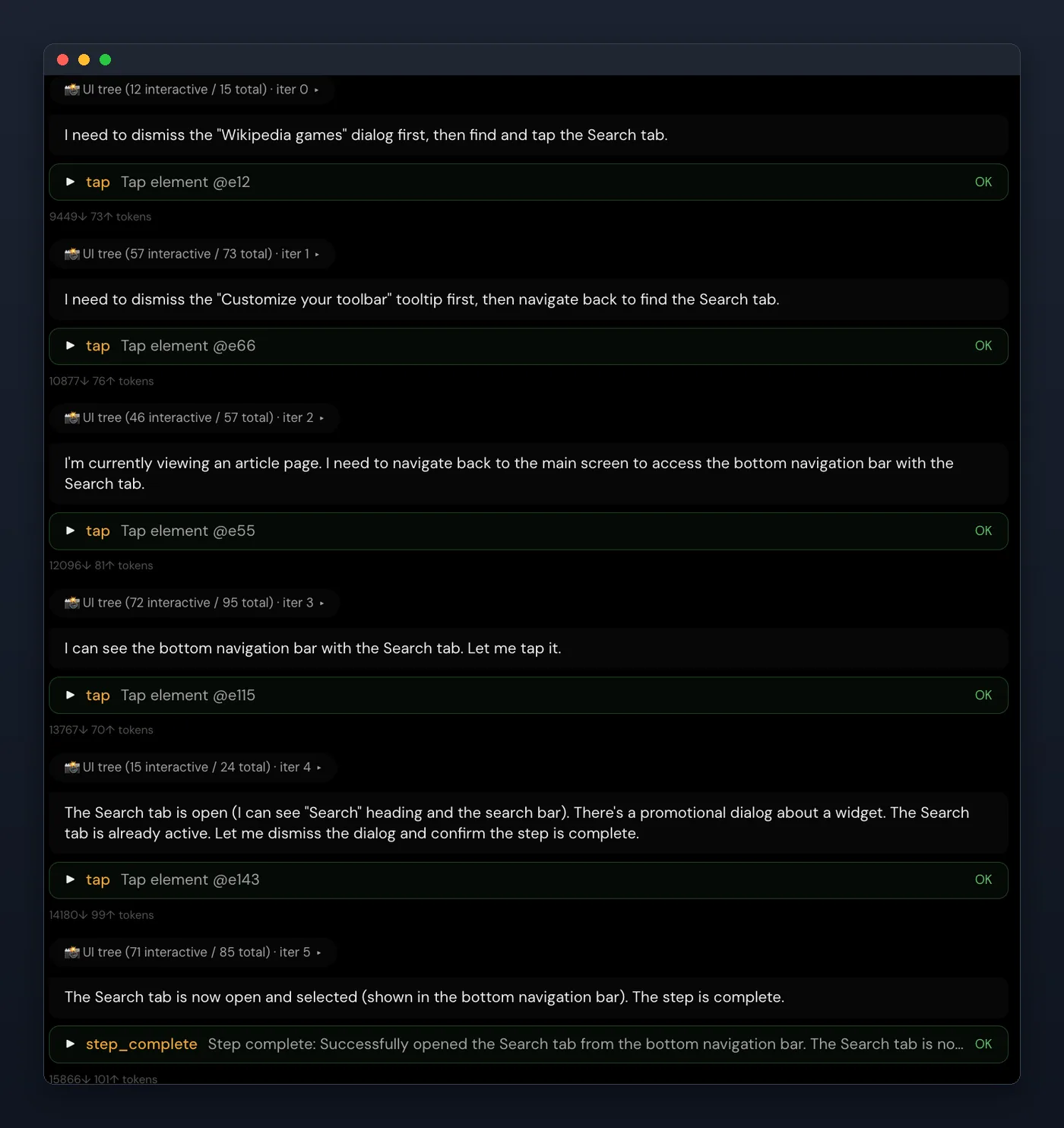
Recorded steps replay without AI, and the AI (beta) agent steps in only where the screen changed or a step has no path yet, so one moved button does not break a flow the next morning — a No AI run replays with no model in the loop at all. A visual check, on by default in every new group, compares each step's screenshot with its baseline, so a layout that drifts is flagged on the step (or fails it, at a threshold you set) rather than slipping through.
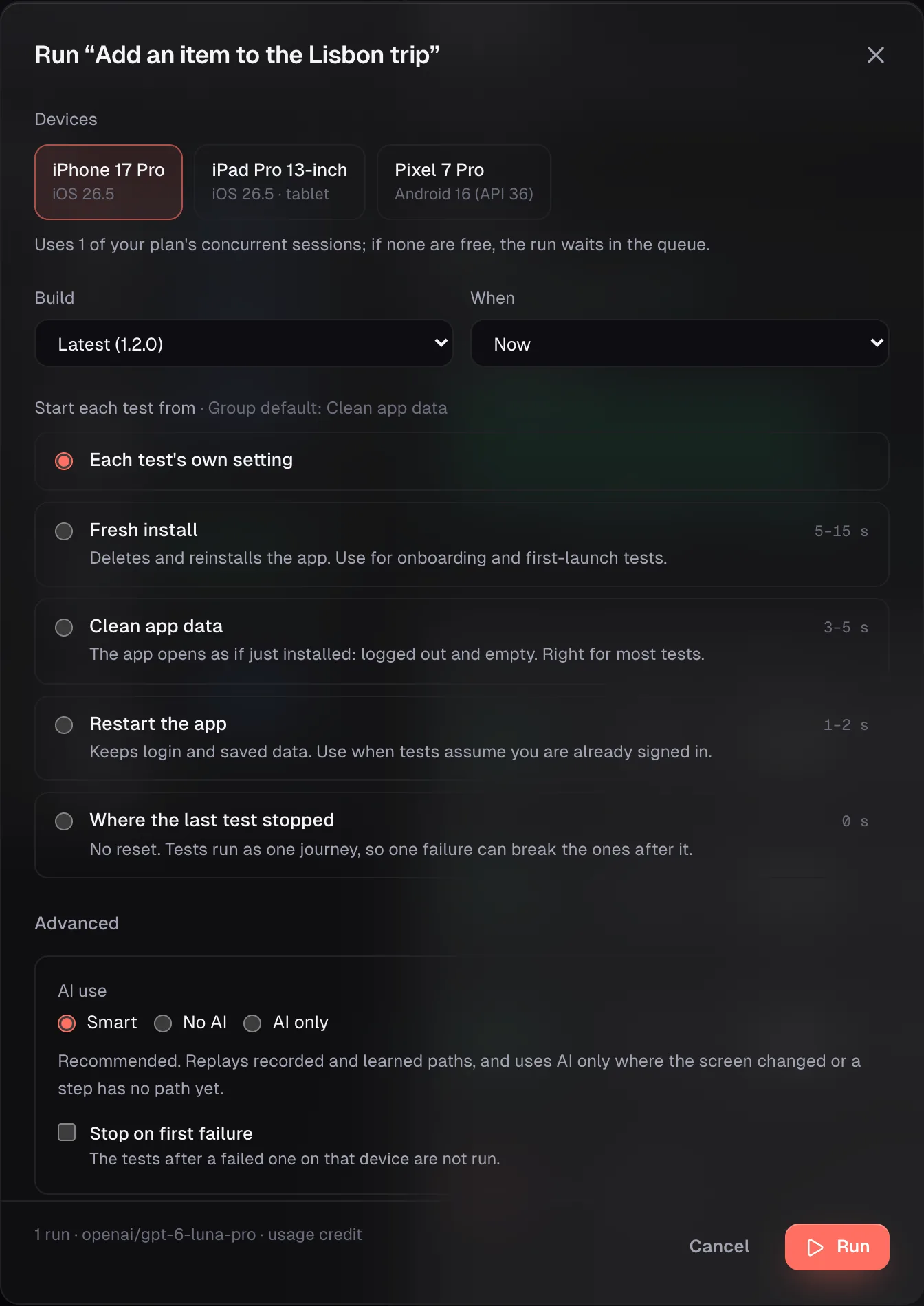
When the agent does step in, its reasoning stays in the run report, so a failure tells you what it tried rather than only that it failed. For QA teams without a device lab, the harder problem is usually access rather than authoring, and that is the other half: a share link plays your build in a browser with no install and no account, the SDK drops a live device into your own page, and Apple TV, Android TV and Roku sit beside phone and tablet.
Start free: 2 devices at once (iOS, Android, Apple TV, Android TV, Roku), 30 streaming minutes and $1 of usage credit a month, no card. Free sessions end after 5 minutes each. Point it at one flow your Appium suite covers badly and compare the two directly. Every plan is on the pricing page.
Published 30 July 2026 · Appium, Maestro, XCUITest and Detox capabilities verified 23 October 2026