Android · Beta testing
TestFlight for Android: 6 ways to get an APK to testers
Rokas Kašinskas — Co-founder, VibeViewPublished 2026-10-30Updated 2026-10-30
Android · Beta testing
On iPhone, the usual answer is TestFlight. Testers install the TestFlight app, accept your invite and install the builds you share. Apple allows up to 10,000 external testers, and you can invite them once App Review approves your first build.
Android splits that job across several tools. Each one fits a different tester: a teammate with a Pixel, a client on an iPhone, a QA vendor with 300 phones. Picking the wrong one is how a quick review turns into a support thread about Play Store settings.
| What the tester needs | How many people | Installs on their phone | |
|---|---|---|---|
| Play internal testing | A Google account and an Android phone | Up to 100 per app | Yes, from the Play Store |
| Play closed or open testing | A Google account and an Android phone | Lists of up to 2,000 each, or uncapped when open | Yes, from the Play Store |
| Play internal app sharing | A Google account, an Android phone and a hidden Play Store setting | Up to 100 downloads per link | Yes, from the Play Store |
| Firebase App Distribution | A Google account and an Android phone | 500 per Firebase project by default | Yes, as a download |
| The APK file | An Android phone that allows unknown apps | Anyone you send it to | Yes, sideloaded |
| VibeView share link | A browser on any computer or phone | Anyone with the link | No, it streams |
Google’s limits come from the pages linked in each section below. VibeView’s limits are your plan’s streaming minutes and concurrent sessions, listed on pricing.
This is the nearest thing to TestFlight’s internal testers. You add testers by email in Play Console and send them an opt-in link. Google’s testing help page says:
The catch is setup. You need a Play Console developer account and an app created in it. Google has required new apps to publish as an Android App Bundle since August 2021, so the track takes your .aab, not a debug APK.
Closed testing is the larger, slower track. Testers come from email lists or Google Groups, and Google allows up to 200 lists of up to 2,000 users each. Like the internal track, its first publish can take several hours to reach testers.
Play also has open testing, a public beta that anyone can join from Google Play or with its link. It is the nearest match to a TestFlight public link, and Google lets you leave the tester count uncapped.
For many developers, closed testing is not optional. A personal Play account created after November 13, 2023 must run a closed test with at least 12 testers, opted in for at least 14 days in a row, before it can publish to production. Start that clock early.
Internal app sharing is the quick-and-dirty Play option. You upload an APK or app bundle and get a link at once, and debuggable builds are allowed. Each link allows up to 100 downloads and expires 60 days after upload.
The friction is on the tester’s side. They open the Play Store’s settings, tap the Play Store version seven times, and turn on internal app sharing. Your app also has to be available to them on Play: published in their country, either in production or on a track they can join. That is easy to explain to a developer and hard to explain to a client.
Firebase App Distribution sends an APK without any Play listing. You upload a build in the Firebase console, pick testers or groups, and they get an email invitation. Firebase’s own pages give these limits:
Testers sign in with Google to accept, then install from the browser or the Firebase App Tester app. App bundle releases need the same hidden Play Store setting as internal app sharing. Because the APK doesn’t come from the Play Store, the phone may also ask the tester to allow the install.
You can attach the .apk to an email or put it in a shared folder. It costs nothing and needs no account. Android’s distribution guide lists the trade-offs:
Google is also tightening the rules. Its developer verification started on September 30, 2026 for apps installed from participating stores in Brazil, Indonesia, Singapore and Thailand. Google plans to expand it to all apps on certified Android devices in 2027. Its FAQ says sideloaded apps aren’t affected yet. Installs with adb stay exempt. If your client is not a developer, a raw APK from a developer who hasn’t verified with Google may need extra steps on their phone once the 2027 rollout reaches it.
Every option above ends with your app installed on the tester’s own Android phone. Often that is exactly right. But a lot of “testing” is really review: a client approving a screen, a product lead on an iPhone, a stakeholder on a locked-down work laptop. Most of them can’t install an APK, and none of them want to.
A VibeView share link handles that case. You upload the APK once. The person you send it to opens the link, presses Tap to Start, and your app opens on a live Android device in their browser. They tap, type and swipe it there. Nothing installs on their side, and they don’t need a VibeView account.
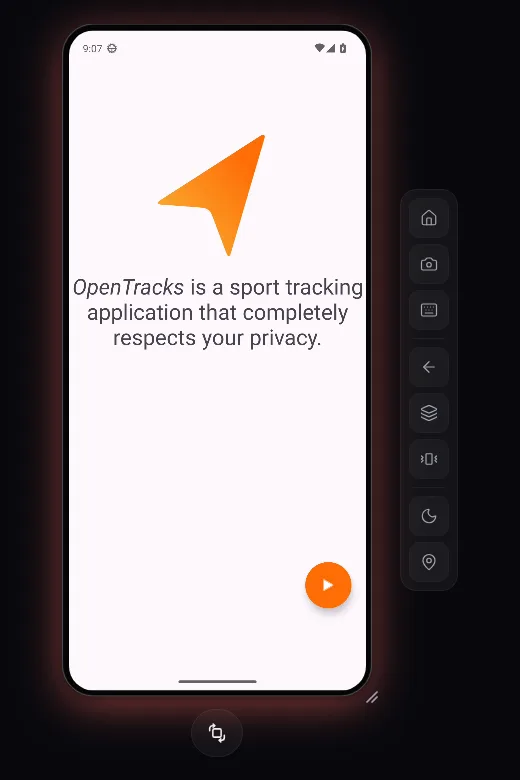
Upload the APK. In the dashboard, open Apps and click Upload app, or upload from a terminal:
npx vibeview upload-app ./app-release.apkUpload the same .apk you would send a tester. A Play .aab needs converting to a universal APK first; Preparing your build shows the bundletool command. If your app uses React Native or Expo, bundle the JavaScript into the build so it doesn’t wait for your dev server.
Create a link pinned to this build. From the app’s Share tab, choose Share this app, then Send a link and Continue. Under More options, Pin to a build keeps the link on this APK after you upload the next one.
Open it yourself in a private window. With no login, you get exactly what the client gets: the app’s name, Tap to Start, then the app on an Android phone with Home, Screenshot, Type text, Back and Recent apps beside it.
Send the URL. When the review is over, revoke the link from the Sharing page and it stops working for anyone still on it. For running reviews round by round, with a new link per round, see sending a build to a client for review.
Visitors spend your plan’s streaming minutes and take up one of your concurrent sessions while they play. Time in the queue doesn’t count. The sharing docs cover every setting, including Require visitors to log in for links you post publicly.
The same steps work beyond phones. Android TV apps upload as an .apk too, and Apple TV and Roku builds follow the same steps, so one workflow covers iOS, Android, Apple TV, Android TV and Roku.
These mix well. Teams often send a share link for sign-off on a screen, then a Play internal test once the build is ready for testers’ own phones. When you need a signed .aab for the Play tracks, build it in the cloud. For an iOS build, sharing an iOS app without TestFlight covers the same share-link steps.
A share link runs your app on a cloud Android emulator, not the tester’s phone. Keep an installed build for anything that depends on their hardware: the camera, Bluetooth, NFC, push notifications to their own device, battery use or real-world speed. The tester also can’t keep the app: the session ends when they close the page. For in-app purchases and other Play services, test through a Play track.
Is there a TestFlight for Android? Not one product. Google Play internal testing plays the role of TestFlight’s internal testers, closed testing the role of its external testers, and open testing the role of a public link. Firebase App Distribution and internal app sharing fill the gaps.
Do Android testers need a Google account? For the Play tracks and Firebase, yes. For a raw APK or a VibeView share link, no.
Can I share an APK with someone who has an iPhone? Not as an install, since iPhones can’t run APKs. A share link plays the APK on a cloud Android device in Safari or any other browser.
Does the client see a new build automatically? Only if you choose Latest build (auto). A pinned link stays on one build, which keeps feedback tied to the version they reviewed.
How do I stop a link someone forwarded? Regenerate link swaps in a new URL with the same settings. Revoke turns the link off for good. Both end any session running on the old URL.
Google’s and Apple’s pages cited here were checked on October 30, 2026.
Open a live iOS simulator, Android emulator, Apple TV, Android TV or Roku in your browser.
Start free