iOS without a Mac
iOS simulator or emulator for Android: what works in 2026
Aurimas Mickys — Founder, VibeViewPublished 2026-07-30Updated 2026-10-30
iOS without a Mac
People type “ios simulator for android” with two different goals. Some want iPhone apps or games on their Android phone. Others build or test an iOS app and have no Mac or iPhone on hand. The first group mostly cannot be helped. The second group can, and the rest of this page shows how.
One, and it almost certainly cannot help you. touchHLE is a free, open-source, high-level emulator written in Rust, with its source under the Mozilla Public License 2.0. Its README lists Windows, macOS and Android (AArch64 devices only) as officially supported. It emulates 32-bit apps for iPhone OS 2.x, iPhone OS 3.x and iOS 4.0.x, roughly the 2008 to 2011 era. 64-bit iOS is marked “Never”.
Its own FAQ is blunt about the rest. touchHLE runs a relatively small number of those early games, and most games even for those versions do not work yet. In late October 2026, its compatibility database rated 300 apps as crashing immediately without any user interaction, while 497 were rated playable with minor issues or fully usable. On Android, the FAQ says it most often fails to install because touchHLE is a 64-bit Android app and the phone cannot run 64-bit apps.
You may also see Cider in older lists. It was a Columbia University research project, published in 2014, that ran iOS apps on Android in the lab. Its project page, now under the name Cycada, lists papers and no download.
Be wary of everything else offered as an iOS emulator for Android. Quash’s analysis notes that many third-party emulators are packaged with malicious code because they are not verified on the Play Store. It adds that iOS is licensed to run only on Apple-approved hardware.
| What you want | What works | What does not |
|---|---|---|
| Play an early iPhone game on an Android phone | touchHLE, for the titles its database rates as working | Games built for iOS 4.1 or later |
| Run a current iPhone app on an Android phone | Nothing. No emulator does this | Any “iOS emulator” app, from the Play Store or elsewhere |
| Make an Android phone look like an iPhone | A launcher or theme app, which changes the look only | Running any iOS app |
| See or test your own iOS app from an Android phone | A cloud iOS simulator, opened in the phone’s browser | An emulator installed on the phone |
| Test an iOS app from Windows, Linux or a Chromebook | A cloud iOS simulator, plus a cloud build if you have no Mac | Xcode, which installs only on a Mac |
| Show an iOS app to someone on Android | A share link to a running simulator | TestFlight, which is for Apple platforms only |
| Test the camera, Bluetooth, NFC or true speed | A physical iPhone | Any simulator or emulator |
Because it ships inside Xcode, and Apple’s Xcode support page names macOS as Xcode’s only host: Tahoe 26.6 or later for Xcode 27.2. Android, Windows and Linux are not on that list, so neither is the simulator.
Note what that does not say. It does not say you need a Mac on your desk. It says the simulator has to run on a Mac. Those are different requirements, and the gap between them is where the workable options live.
A cloud iOS simulator is Apple’s own simulator, running on a Mac in a data center, with its screen streamed to a browser tab. Because only video and touches travel, the screen in front of you can be anything with a modern browser, including an Android phone. Appetize works the same way and, like VibeView, takes only simulator builds for iOS.
On VibeView, the flow from an Android phone looks like this:
A phone screen is a small window onto another phone, so for long sessions a laptop or tablet is easier. For a quick check, or to show a client the iOS build from your Android phone, it works.
VibeView streams live iOS simulators, running on Apple hardware in our cloud, to a browser tab. From the same browser you can also open Android, Apple TV, Android TV and Roku devices. Nothing installs locally, and the machine you sit at does not have to be a Mac. That is what people searching for an iPhone emulator for Android can actually get: not iOS running on Android, but an iOS simulator you can reach from a device that is not Apple’s.
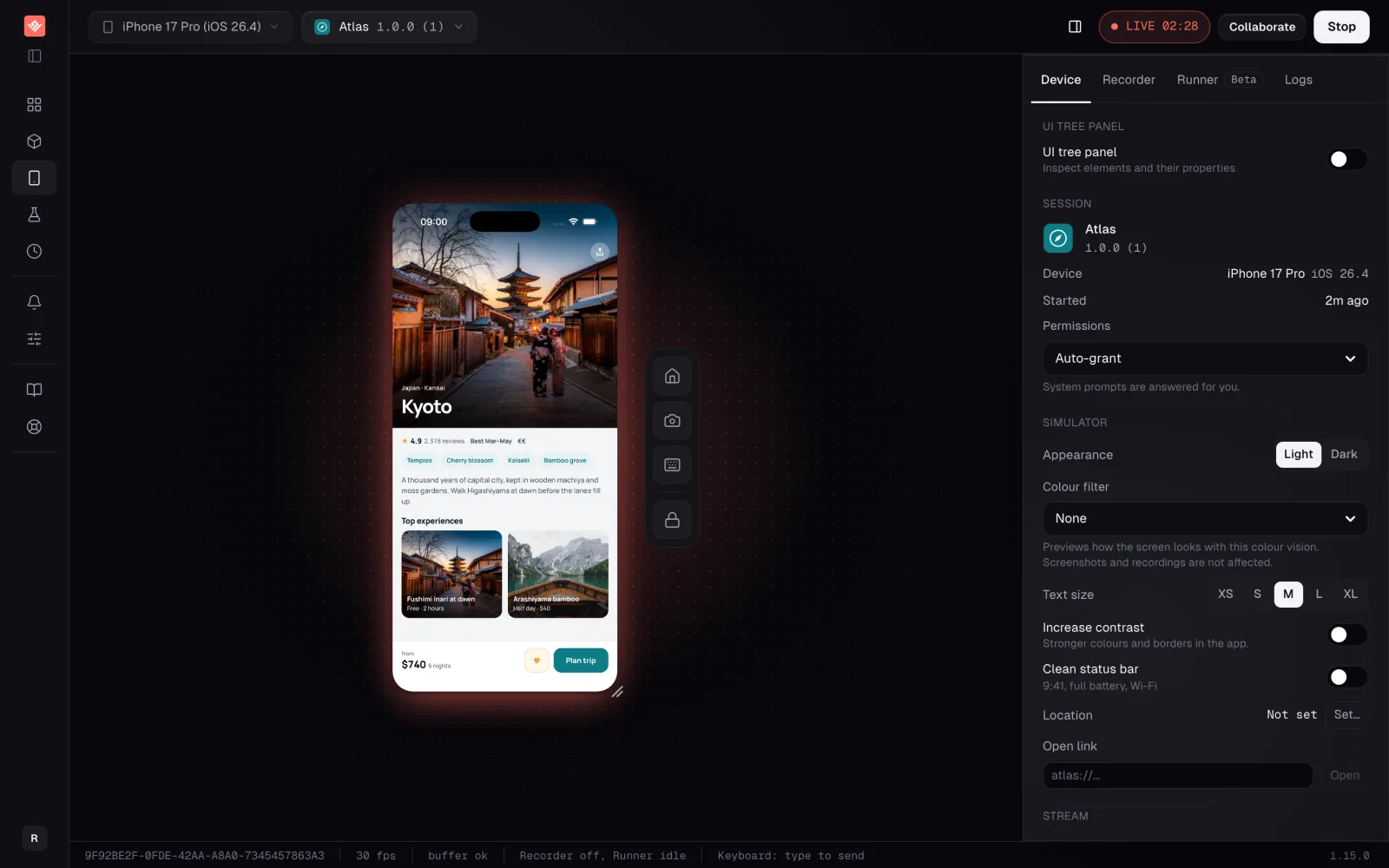
What you open is a simulator build. iOS takes a compressed .app bundle; Android takes an .apk. A signed device build is refused at upload. If you have no Mac to make a simulator build, run vibeview build --cloud --platform ios from Windows, Linux or macOS. For React Native or Expo, add --profile preview, so the build runs without Metro on your computer. Cloud builds compile React Native, Expo, Flutter, Capacitor, Kotlin Multiplatform and native Xcode projects on a managed Mac.
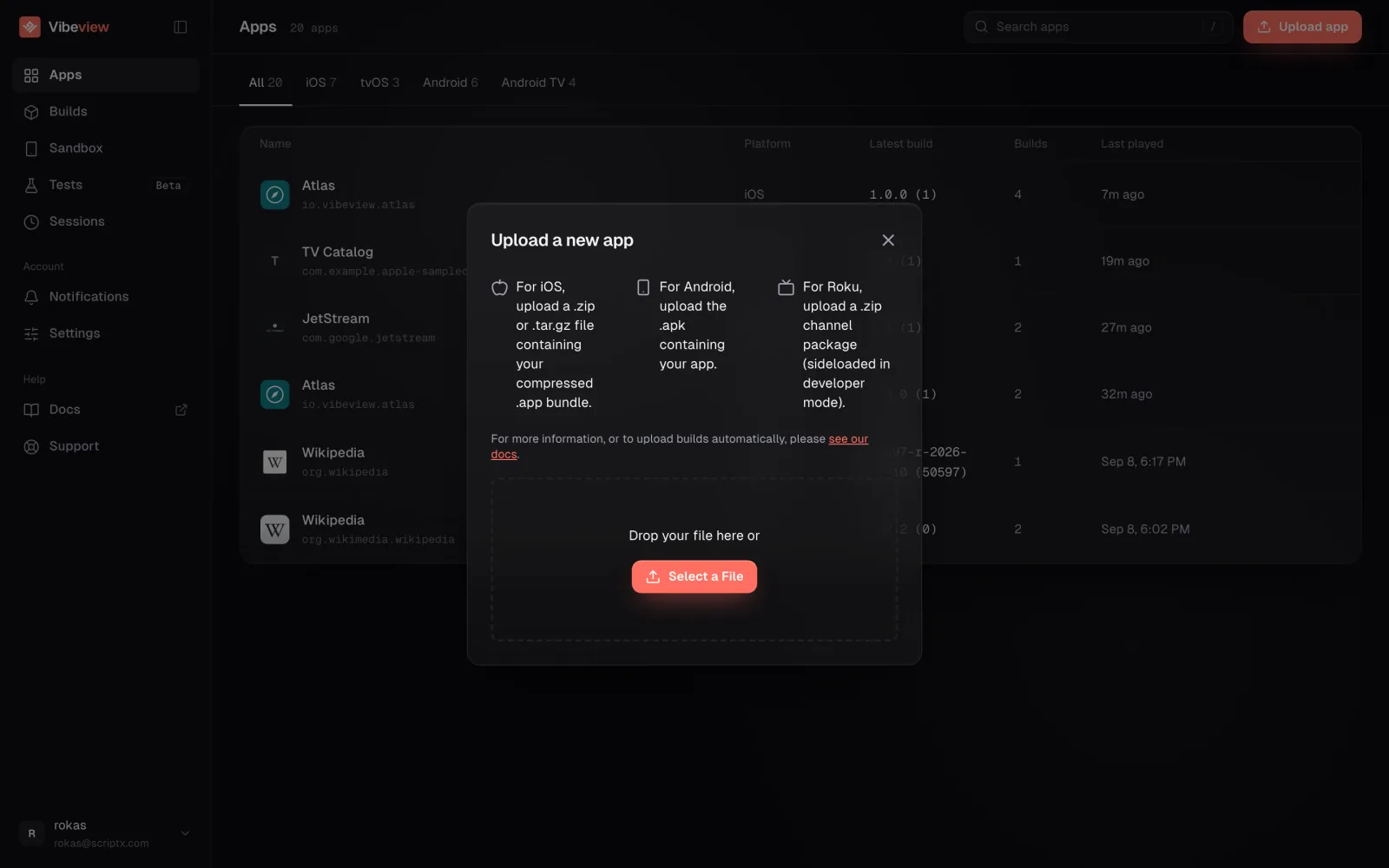
A share link plays the running build for someone with no account and nothing installed. That helps when the person who needs to see the iOS app is a PM on an Android phone, or a support agent who will never own a Mac.
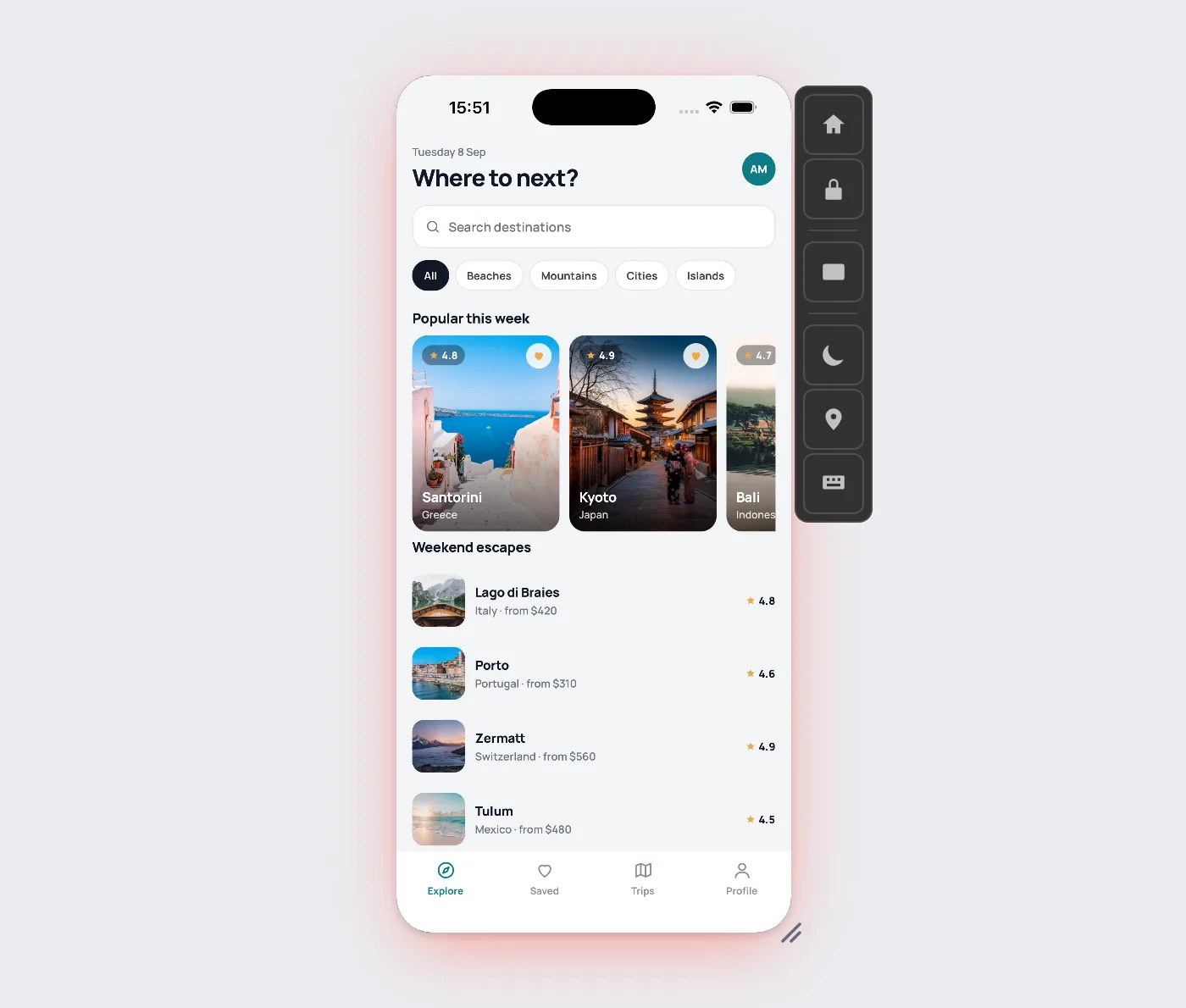
The limits, since they decide whether this helps. iOS, Android, Apple TV and Android TV run on simulators and emulators (only Roku is a physical device). There are no physical phones in our cloud, so camera hardware, Bluetooth peripherals, NFC and true GPU performance need testing on a phone in hand before release. No web browser testing of any kind. No network traffic capture yet, so no HAR export. Streaming is metered.
Trying it costs nothing: the free plan takes no card, and its minutes are enough to open one build from an Android phone and send one link. Pricing lists the current allowance, including how long a free session lasts.
One: touchHLE, a free, open-source emulator that runs on Windows, macOS and AArch64 Android devices. It emulates 32-bit apps for iPhone OS 2.x to iOS 4.0.x, and its project says 64-bit apps will never be supported. For a modern app it is not an option.
Patchily, by its own account. Its FAQ says most games even for those early versions do not work yet. In late October 2026 its compatibility database rated 300 apps as crashing immediately, and 497 as playable with minor issues or fully usable.
Not current ones. Apps from the App Store are built for iOS on Apple hardware, and no emulator for Android runs them. What you can do is open a cloud iOS simulator in your phone’s browser and use an app there, if you have its simulator build.
Treat them with suspicion. Quash’s analysis notes that many are packaged with malicious code because they are not verified on the Play Store. touchHLE is the open-source exception, and it does not run modern apps.
Yes, through the browser. A cloud iOS simulator runs on a Mac and streams to your screen, and you control it with touch. You need a simulator build of the app, or one of the provider’s sample apps to try first.
Build it in the cloud, then open the build on a cloud iOS simulator in your browser. That covers layout, flows and most logic. Before release, borrow or buy an iPhone for the camera, Bluetooth, NFC and true speed.
Not locally. Xcode, which contains the simulator, is supported on macOS only. The workable route is a simulator running on a Mac somewhere else, reached through your browser.
If your team ships iOS and half of it uses Android phones or Windows laptops, the test is quick. Make one simulator build, open it in a browser from a non-Apple device, and send the link to whoever keeps asking for screenshots.
Published July 30, 2026 · Updated October 30, 2026 · touchHLE, Cider, Xcode and third-party details checked October 30, 2026
Open a live iOS simulator, Android emulator, Apple TV, Android TV or Roku in your browser.
Start free