How it works
Mobile emulator online: how streamed devices work
Aurimas Mickys — Founder, VibeViewPublished 2026-07-30Updated 2026-07-30
How it works
A mobile emulator online is an ordinary emulator running on someone else’s machine, streamed to a browser tab, with your taps and keystrokes sent back to it. Nothing installs locally. The hardware the emulator wants belongs to the server, not to you. Appetize.io runs apps this way, using Android emulators and iOS Simulators rather than physical devices; Genymotion and VibeView work on the same principle.
That also names the cost. You are driving a live device instance over a network, so there is a round trip on every tap, and local native debugging tools cannot attach to it. For app logic, navigation, layout and most regressions, neither matters.
You will see this called a browser emulator too. That phrase is worth treating carefully, because it is also used for retro game emulators and for disposable virtual browsers — neither of which is what this page is about.
This is for people who need to open a build without setting up a toolchain: QA on a locked-down laptop, a PM checking a fix, a developer whose machine cannot carry a local emulator.
It is not for testing how your website renders across browsers. That is cross-browser testing, a different job with different tools, and nothing here helps with it.
More than most people expect, and the requirements have been rising. Android Studio’s installation documentation lists 16 GB of RAM and 16 GB of free disk space as the minimum for Studio and Emulator, and recommends 32 GB of RAM with a solid state drive. It requires processor virtualization such as Intel VT-x or AMD-V enabled in the BIOS, and a CPU microarchitecture newer than 2017. For the emulator specifically it asks for a GPU with at least 4 GB of VRAM and recommends 8 GB, and it warns that Intel Core N-Series and U-Series processors are not recommended because of insufficient performance.
The floor keeps moving. As of the 36.6.11 stable release on 2 June 2026, phone virtual devices running Android 17 require a strict minimum of 4 GB of VM RAM, and the emulator overwrites any lower setting.
There is also one constraint that surprises teams building CI: you cannot run a VM-accelerated Android Emulator inside another virtual machine such as VirtualBox, VMware or Docker, because acceleration needs direct access to the host’s virtualization extensions.
They divide by what is on the other end of the stream.
Cloud emulators for Android and iOS running in a web browser, using Android emulators and iOS Simulators rather than physical devices. It added iOS 26 and iPhone 17 support in September 2025, and its SLA states a monthly uptime target of 99.9%.
Three product lines — Desktop, SaaS and PaaS. Desktop is a local Android emulator for Windows, macOS and Linux; SaaS runs virtual devices in a browser. Desktop is not available for 32-bit systems or for arm64 single-board computers such as Raspberry Pi.
A physical-device cloud rather than an emulator: thousands of physical desktop and mobile devices hosted online for testing under real-user conditions. The right answer when the bug needs actual hardware, and a different category from everything else here.
Streamed iOS simulators and Android emulators, plus Apple TV and Android TV, built around getting a build in front of people who will not install anything. Covered below, limits included.
If what you wanted was to check a website at phone size, none of these is the cheapest answer. Chrome DevTools Device Mode is free and already installed — but Chrome’s documentation is explicit that Device Mode is only a first-order approximation of the mobile user experience, and that some aspects, such as differences in CPU architectures, can never be fully simulated. It does not run Android, so it will not open an APK.
Emulators stop where the virtual hardware stops, and Android’s documentation is specific about where that is. The emulator does not include virtual hardware for NFC, for USB, for SD card insert and eject operations, or for device-attached headphones. Biometric testing on emulators is simulated and cannot validate real sensor behaviour such as face unlock or fingerprint recognition. If your bug lives in any of those, no online phone emulator will show it to you, and a pass on physical devices is not optional.
Local emulators add their own friction. Android’s troubleshooting documentation notes the emulator checks for at least 5 GB of free disk space on startup and will not start without it, that microphone input can cause crashes and hangs, and that on ChromeOS virtual devices may fail to launch because the libnss3 dependency is missing. Intel HAXM, long the default accelerator, has been deprecated since January 2023, and from emulator version 36.2 the emulator no longer uses it.
Hosted emulators trade that list for a different one: metered time, a network dependency, and whatever device catalogue the vendor happens to offer.
VibeView streams real iOS simulators and Android emulators to a browser tab, with Apple TV and Android TV alongside phone and tablet. Pick a device and an OS version, upload a build, and interact with it in the page.
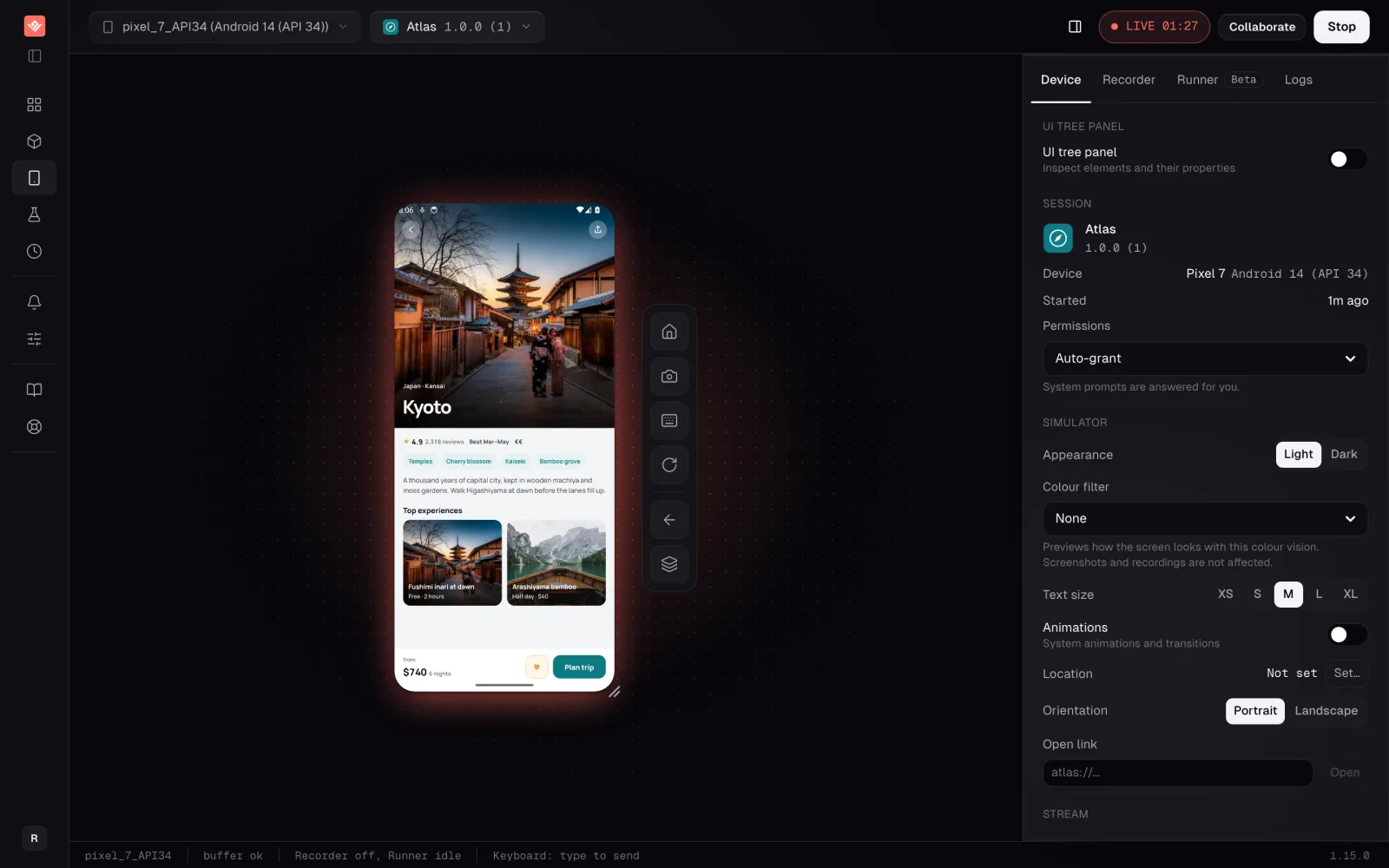
If you know which platform you need, the platform pages go deeper than this guide does: run an Android emulator online, or open an iOS simulator in your browser.
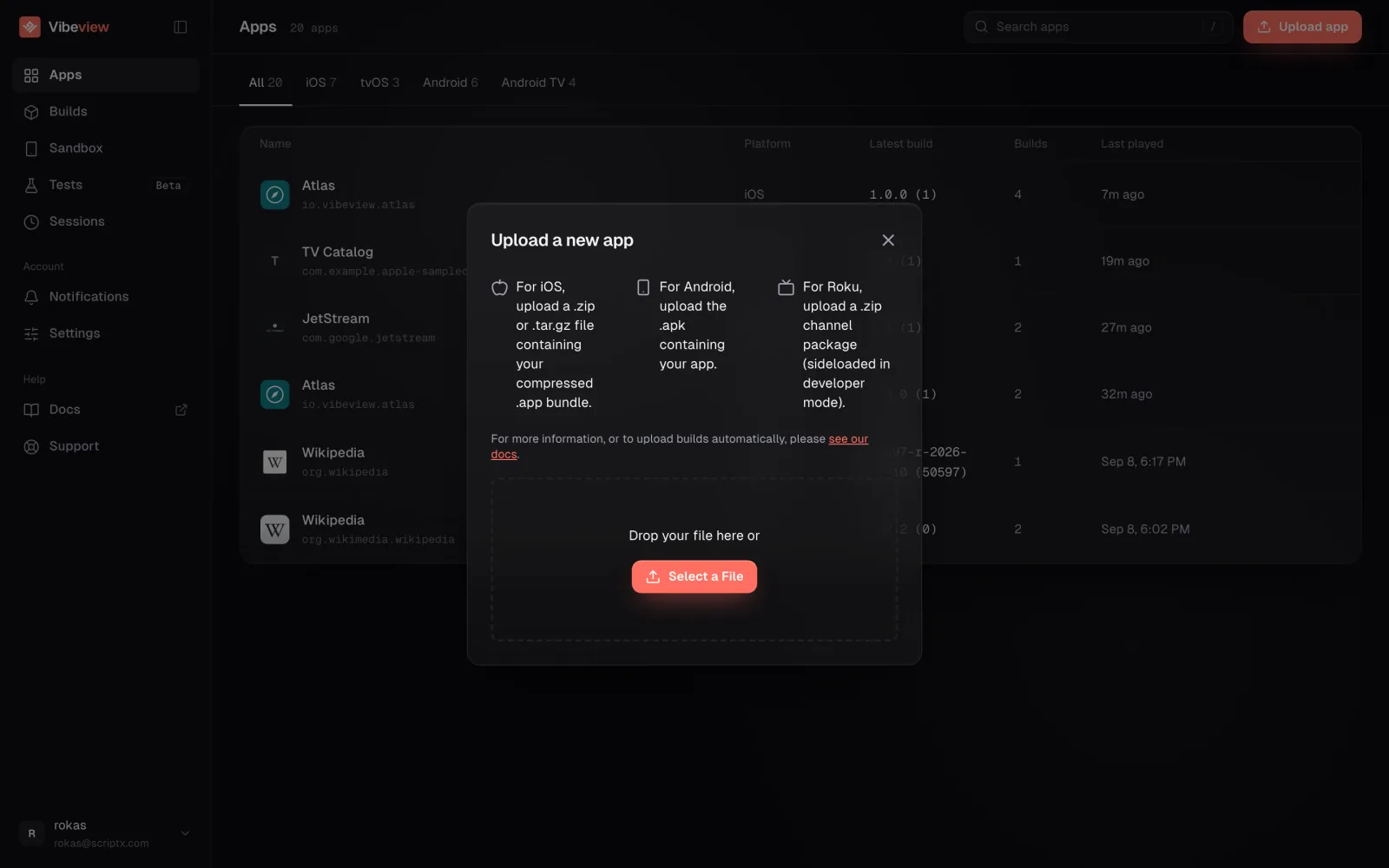
What you upload is an emulator build. Android takes an .apk; iOS takes a compressed .app bundle. A signed device build is rejected at upload, which for some teams means one extra CI target.
The part that differs from the rest of this list: a share link plays the running build for someone with no account and nothing installed. Links pin to a build, restrict to chosen devices, carry an expiry, and revoke in one click.
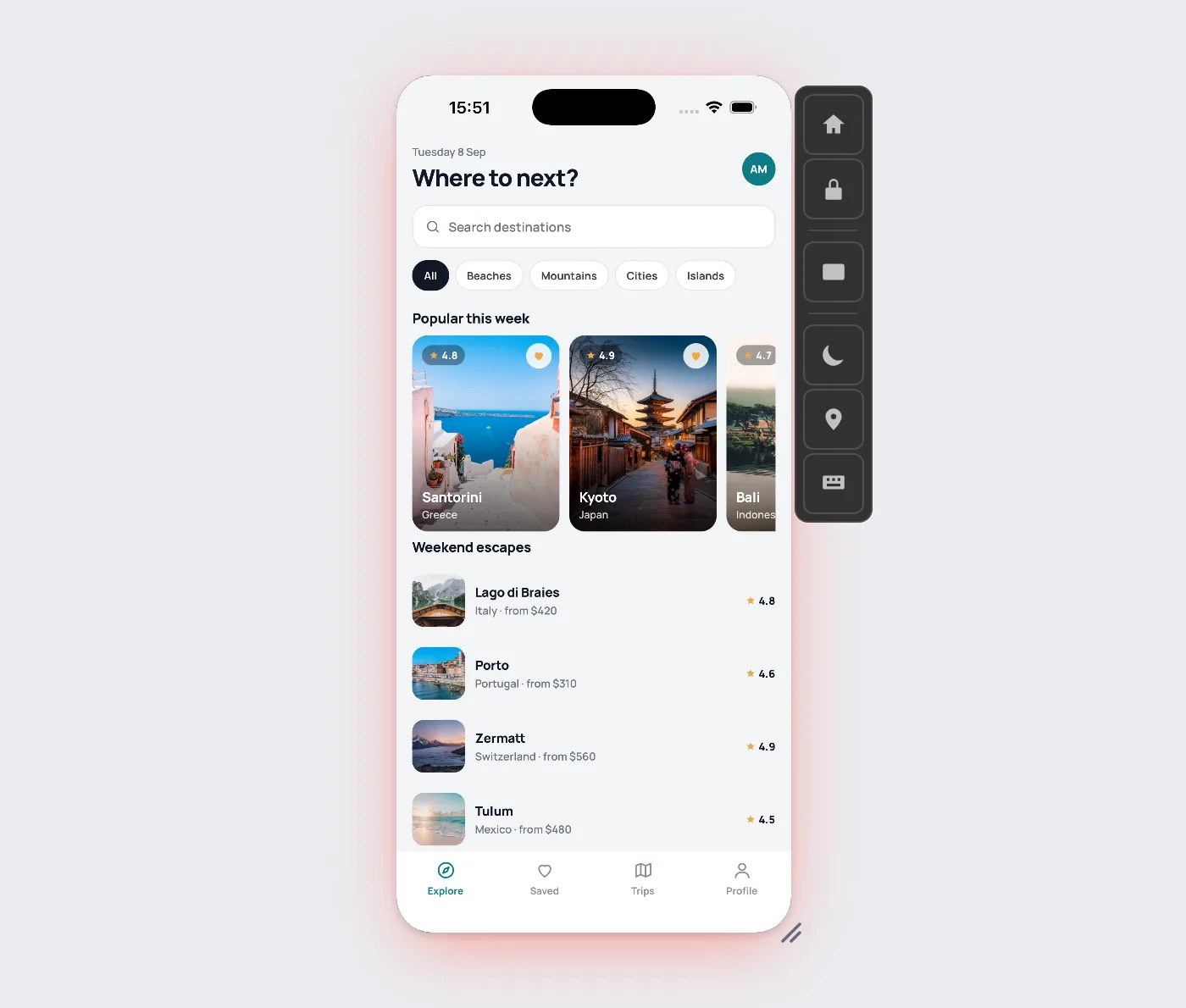
The limits, since they decide whether this fits. iOS, Android, Apple TV and Android TV run on simulators and emulators (only Roku is a physical device), with no physical-device cloud for phones, so the hardware wall above applies in full. No web browser testing of any kind. No network traffic capture yet, so no HAR export. Streaming is metered, and free-tier sessions stop after five minutes each.
The free tier takes no card: two sessions at once and 30 streaming minutes a month, in five-minute slices. Enough to open your build and send one link; not enough to run a suite.
What is a mobile emulator online? An emulator running on a remote machine, streamed to a browser tab, with your taps sent back to it. Nothing installs locally, and the host requirements land on the server. Appetize.io runs apps this way using Android emulators and iOS Simulators rather than physical devices, and Genymotion SaaS and VibeView work on the same principle.
Why not just run the emulator on my own laptop? You can, if the laptop is up to it. Android Studio’s installation documentation lists 16 GB of RAM and 16 GB of free disk as the minimum for Studio and Emulator, recommends 32 GB, and requires processor virtualization enabled in the BIOS. Below that the experience degrades fast.
Can I run an Android emulator inside a container or a VM? Not with VM acceleration. Google’s documentation states you cannot run a VM-accelerated Android Emulator inside another virtual machine such as VirtualBox, VMware or Docker, because acceleration needs direct access to the host’s virtualization extensions. A hosted emulator sidesteps this entirely.
What can a mobile device emulator never test? Anything without virtual hardware behind it. Android’s documentation states the emulator does not include virtual hardware for NFC, USB, SD card insert and eject operations, or device-attached headphones. Biometric checks are simulated rather than real. Run a pass on physical devices before release.
Is Chrome DevTools device mode a mobile emulator? No. Chrome’s documentation states Device Mode is only a first-order approximation of the mobile user experience, and that some aspects such as differences in CPU architectures can never be fully simulated. It resizes a viewport for a website; it does not run Android or iOS.
Take the build your team made this morning, open it in a browser tab, and send the link to someone who has never installed your toolchain. If they get somewhere on their own, a hosted device is doing its job.
No card, no install, no 16 GB of RAM required at your end. If you would rather we told you plainly whether your workload fits, send it over and we will.
Published 30 July 2026 · Tool capabilities verified 30 July 2026
Open a live iOS simulator, Android emulator, Apple TV, Android TV or Roku in your browser.
Start free