iPhone Duo simulator not showing in Xcode 27.1? Fix it
Rokas Kašinskas — Co-founder, VibeViewPublished 2026-09-24Updated 2026-09-25
Apple announced the iPhone Duo on September 9, and Xcode 27.1 beta followed on September 18 with the SDK and a simulator that folds. Early reports suggest most “it is not there” problems come down to one of the causes below, roughly in order of how often they appear.
The Duo simulator ships with Xcode 27.1 beta. Xcode 27.0 does not have it, however current its runtimes are. Open Xcode → About Xcode and check the version.
Xcode 27.1 beta also narrows the hardware: it runs only on an Apple silicon Mac with macOS 26.6 or later (MacRumors). No setting on an Intel Mac or an older macOS makes the Duo appear. If that is your machine, skip to running it in a browser.
Installing Xcode 27.1 beta and the iOS 27.1 runtime is not always enough. The fix confirmed on the Apple Developer Forums is to fetch the runtime again:
You can confirm from Terminal that the device type is now known to the simulator:
xcrun simctl list devicetypes | grep -i duo
xcrun simctl list runtimes | grep -i "iOS 27.1"
If the first command prints an iPhone Duo line and the second prints the runtime, the pieces are installed and only the device itself is missing.
Xcode usually creates simulators for a new runtime on its own, but not always. The same forum thread describes adding it by hand in Device Hub: click +, choose iPhone, then iPhone Duo. From Terminal, xcrun simctl create does the same, with the device type and runtime identifiers the two list commands above printed:
xcrun simctl create "iPhone Duo" <device-type-identifier> <runtime-identifier>If the Duo boots but there is no way to fold it, with no posture buttons at the bottom of the window and nothing in the menus, you are probably looking at the Device Hub from Xcode 27. After an upgrade, Spotlight can keep opening the older copy, which can show the device but has no posture controls (Apple Developer Forums).
Open the one bundled with Xcode 27.1 beta instead: in Xcode, choose Xcode → Open Developer Tool → Device Hub. The Duo’s toolbar then has buttons to fold and unfold it, and holding Option reveals a slider for the exact hinge angle (SwiftLee).
There is still no simctl command that sets the hinge angle, so fold testing in a script or CI job needs something else. Set the iPhone Duo hinge angle from the command line covers the options.
If your Mac is Intel, is on an older macOS, or you would rather not put a beta Xcode on it, VibeView runs Apple’s iPhone Duo simulator on its own Macs and streams it to your browser. It is the same iOS 27.1 beta runtime, not a resized web page.
vibeview build --cloud --platform ios and the build lands in your app’s build history, with no Mac involved (see Cloud Builds). Cloud builds use a stable Xcode, so for now a cloud-built app runs on the inner screen in a phone-sized window; for the full inner screen, build with Xcode 27.1 beta and add it with vibeview upload-app. Otherwise, upload an iOS simulator build, a .app bundle compressed as .zip, .tar.gz or .tgz; a device .ipa will not install. See Preparing Your App Build.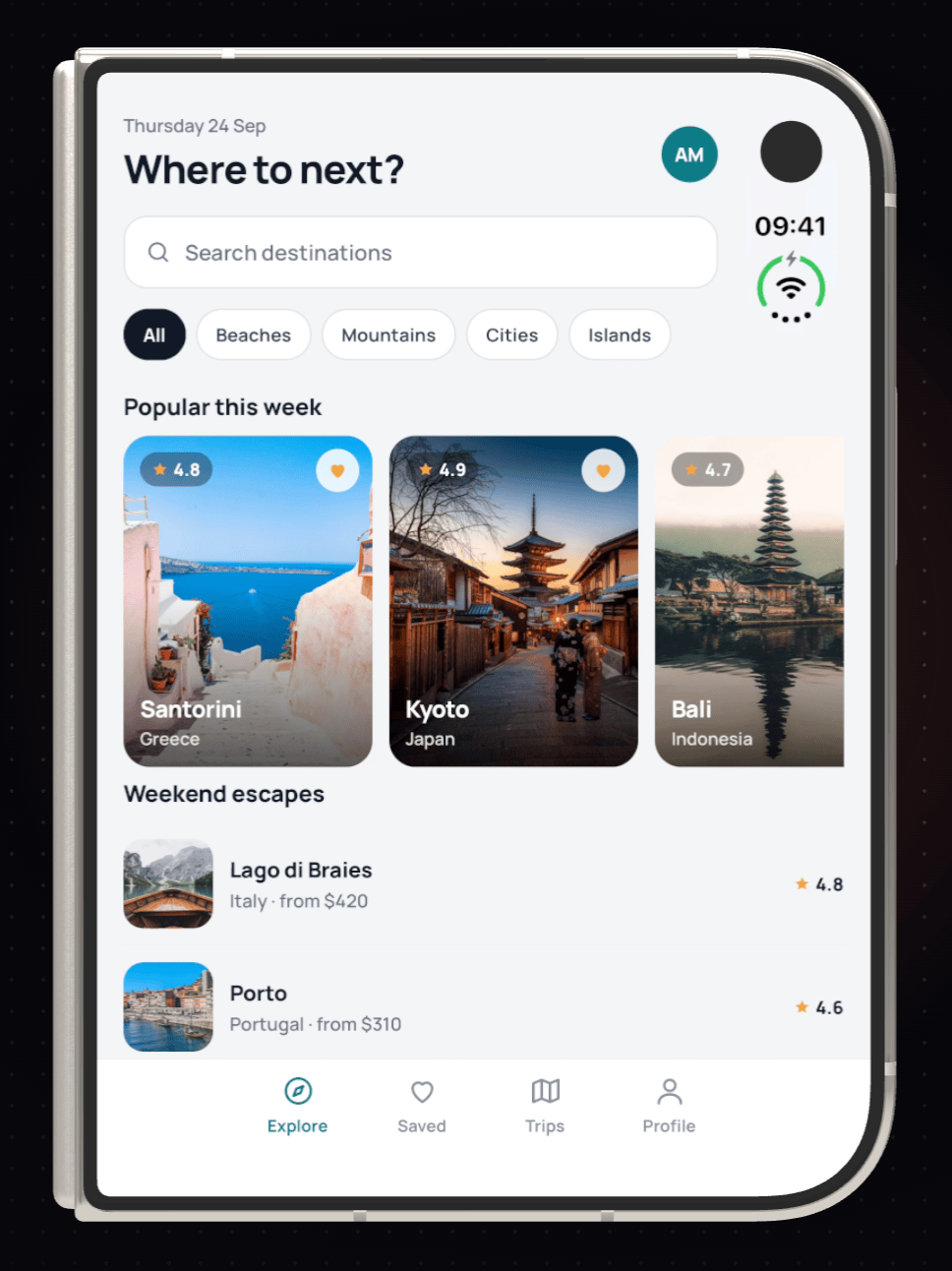
Taps go to whichever screen the device is using. Opening the device switches the stream to the inner screen, in landscape when it is flat. To start already unfolded, add ?posture=open or ?posture=partial to the sandbox URL.
The whole loop can stay off your machine: build a React Native or Expo app in the cloud, then run and test it on the Duo in the same place, from Windows, Linux or any Mac. Until Xcode 27.1 is out of beta, a cloud-built app shows on the inner screen in compatibility mode, a phone-sized window, rather than across both panes; a build made with Xcode 27.1 beta and uploaded fills it. Build a React Native iOS app without a Mac walks through the build side, and the iPhone Duo simulator page covers sharing and agent control.