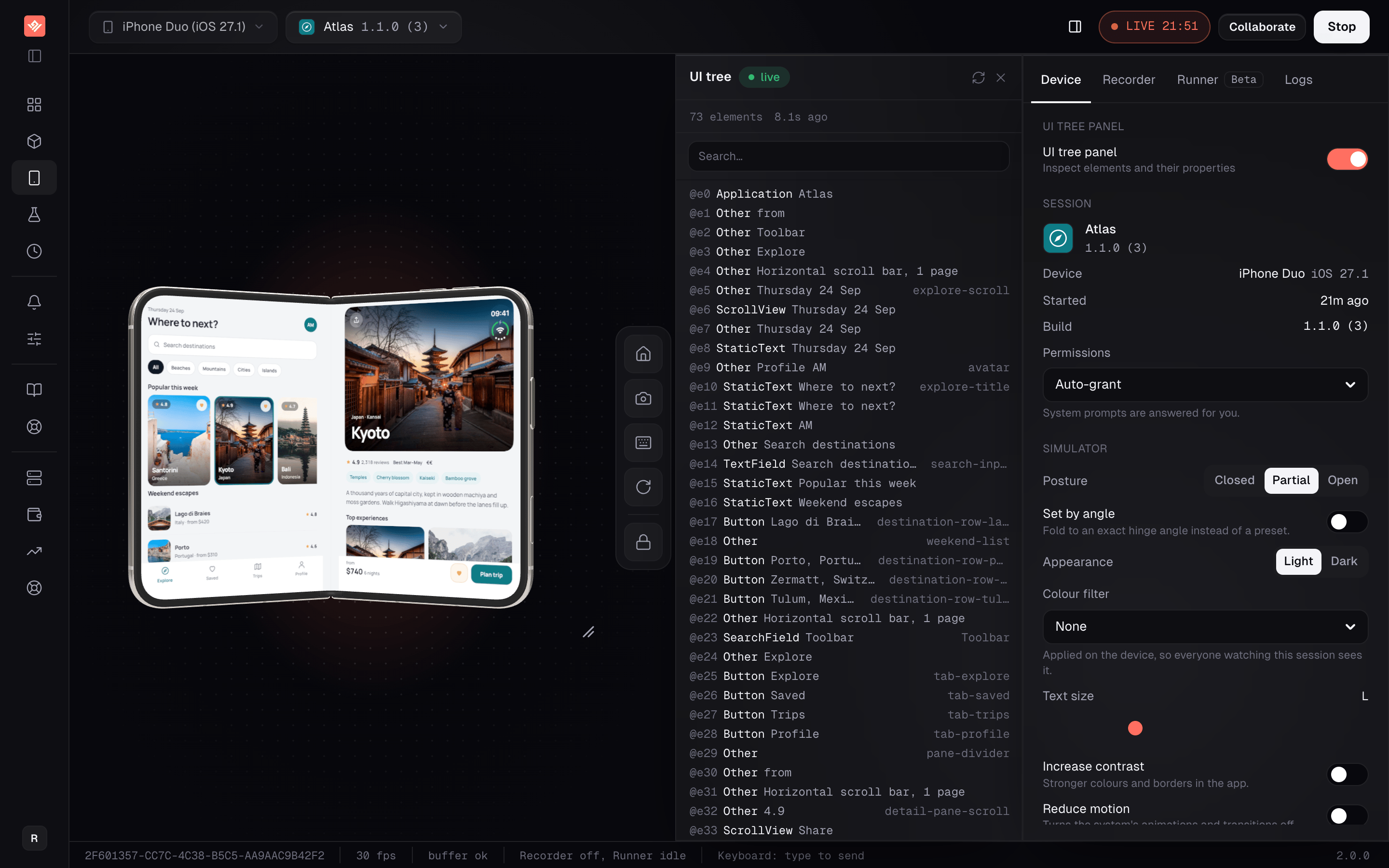
Apple announced the iPhone Duo on September 9: a 5.4-inch cover screen outside and a 7.6-inch folding screen inside, shipping on iOS 27.1. To build for it today you need Xcode 27.1 beta, which runs only on an Apple silicon Mac with macOS 26.6 or later.
VibeView runs that simulator for you. Pick iPhone Duo (iOS 27.1) in the device picker, where it carries a Foldable badge, and your app starts on the cover screen in a browser tab. There is no Xcode download, no runtime to update and no Mac on your desk.
Test your app on iPhone Duo, not a viewport mock-up
Search for an iPhone Duo simulator online, or an iPhone Duo emulator, and most results are web pages that resize a website to the Duo’s two screen sizes. That is useful for a responsive site. It cannot install a native app, run iOS or fold anything.
Here your app runs on Apple’s iPhone Duo simulator itself: the iOS 27.1 beta runtime, a hinge angle the system reacts to, and two screens that hand over to each other as the device folds. If your app reads the hinge, switches layouts when the device opens or rotates on the inner screen, this is where those code paths actually run.
Fold to a preset or an angle
Closed, Partial and Open are one click each. Turn on Set by angle to drag to any whole angle from 0 to 180 degrees.
Rotate in any posture
Each press turns the device a quarter clockwise, closed, half-open or flat. Apps that support the new orientation turn their layout.
Both screens, live
Where your browser supports it, the Duo is drawn as a 3D model that folds with the hinge, with each screen showing what it is displaying.
An agent can fold it too
The VibeView CLI and MCP server give your coding agent the same controls: start on the Duo, set a posture or an angle, rotate.