Replit · Expo
Replit mobile app: build it with no Mac or Expo account
Rokas Kašinskas — Co-founder, VibeViewPublished 2026-10-29Updated 2026-10-29
Replit · Expo
Replit’s Agent can write a phone app and show it to you inside the editor. What it can’t hand you is a build of your own app that you keep, share and test outside Replit. This guide takes a Replit project to that point, on an iPhone and on an Android phone.
We followed this guide on October 29, 2026 with AgentGuard, a public, MIT-licensed app made from Replit’s mobile template, on a Mac. Both versions built and opened on cloud devices, and a signed Android build for Google Play succeeded. We checked that each build carries the right server address, but we didn’t sign in to the app, because its backend belongs to someone else.
Replit says “Expo is what Agent uses to build your mobile app on Replit”, and “Your server runs on Replit and your mobile app connects to it” (Replit: Native Mobile Apps, checked October 29, 2026). You preview the app in one of two ways:
For the stores, Replit’s Launch flow uses your own Expo project, and “Your build compiles on Expo’s servers, then lands in App Store Connect” (Replit: Upload your app to App Store Connect, checked October 29, 2026). For Android, Replit says “Publishing to Google Play is not yet supported” (preview page above).
| What you want | In Replit | With VibeView |
|---|---|---|
| Try the app | Editor preview (paid plans) or Expo Go | Your own build, on a live device in the browser |
| Show it to someone | Expo Go on their phone | A share link that opens the app in a browser tab |
| Build the iPhone version | Launch, with an Expo project | vibeview build --cloud, no Expo account |
| Build the Android version | Not covered by Replit’s publishing | vibeview build --cloud |
| Upload to TestFlight or Google Play | TestFlight through Launch; no Google Play | Store uploads, once you have a signed build |
npm and npx.npm install -g pnpm@10.You won’t need a Mac, Xcode, Android Studio or an Expo account: the iPhone build runs on a cloud Mac. We ran the setup steps on a Mac without opening Xcode; nothing in them needs one, but Windows and Linux are untested so far.
A new Replit mobile project is a pnpm workspace: one repository with several packages that share one lockfile (pnpm-lock.yaml, the list of exact package versions). The parts that matter here:
artifacts/mobile: the Expo app, with its own app.json and package.json.artifacts/api-server: the server your app talks to.lib/: code the app and the server share.pnpm-workspace.yaml, in the top folder: the workspace settings.The app can’t install on its own, because it needs the shared code and the top folder’s lockfile. So every build runs from the top folder, then moves into artifacts/mobile. Older Replit projects with a client/ folder and a package-lock.json exist too. This guide doesn’t cover them.
Publish your app in Replit first. Click Publish at the top of the workspace. Replit asks for the same thing before an App Store upload: the backend “needs to be live” (Replit’s upload page). Note the address it gets, such as your-app.replit.app. A built app has no Replit editor behind it, so this server is the one it talks to.
Copy the project to your computer. Pick one way:
GitHub. Open Tools, then Git, connect GitHub and push. Replit’s Git pane sends commits “with a single click” (Replit: Git pane, checked October 29, 2026). Then run git clone <your repository URL> and cd into the new folder.
Zip. Open the three-dot menu at the top of the file tree and choose Download as zip (Replit: Projects and files, checked October 29, 2026). Unzip it, open a terminal in the folder, and run:
git init
git add -A
git commit -m "Replit project"
That starts a git repository with every file in its first snapshot, called a commit.
Put the Mac versions of a few tools back. Replit runs on Linux, so its template tells pnpm to leave out the macOS builds of tools such as esbuild and Rollup. On a Mac those tools then fail to load. That breaks the iPhone build, which runs on a Mac, and the install in the next step if your computer is a Mac. Do this step even if you only want the Android version. Open pnpm-workspace.yaml, find overrides:, and delete every line that contains darwin, such as:
esbuild>@esbuild/darwin-arm64: '-'
rollup>@rollup/rollup-darwin-arm64: '-'
Our project had ten of them, for esbuild, Rollup, Lightning CSS, Tailwind and ngrok. Keep the other lines. Then refresh the lockfile so it matches:
pnpm install --lockfile-onlyAdd the package Expo’s build needs. The template’s babel.config.js uses babel-preset-expo, but the app’s package.json doesn’t list it. Inside Replit it’s found anyway. In a release build it isn’t, and the build stops with Cannot find module 'babel-preset-expo'. Install the project’s packages once, then add it from the app’s folder:
pnpm install
cd artifacts/mobile
npx expo install babel-preset-expo -- --save-dev
cd ../..
npx expo install picks the version that matches your Expo SDK, and --save-dev lists it as a package the build needs. It changes artifacts/mobile/package.json and pnpm-lock.yaml, and both go in your next commit.
Point the app at your published server. Two settings decide where the app sends its requests. Replit’s template sets both for running inside Replit.
In artifacts/mobile/app.json, find the expo-router plugin. Its origin is https://replit.com/. Change it to your published address:
["expo-router", { "origin": "https://your-app.replit.app/" }]The app reads its server’s address from EXPO_PUBLIC_DOMAIN. Expo writes each EXPO_PUBLIC_ value the code reads into the app during the build. You set this one in vibeview.json, in the next step.
Without these, the app opens, but its requests go to replit.com instead of your server, so sign-in and data fail. The address is public anyway, so it’s fine to keep in git. Never put a secret there: anyone with the app can read these values. Secrets belong in build secrets, or better, on your server.
Write vibeview.json in the project’s top folder. It tells the cloud build what to run for each phone and which values to set. Replace your-app.replit.app with your address. Replace AgentGuard with your app’s name from app.json, without spaces or symbols: My App! becomes MyApp. defaultPlatform is the platform a command uses when you don’t name one:
{
  "defaultPlatform": "android",
  "platforms": {
    "android": {
      "build": {
        "env": { "EXPO_PUBLIC_DOMAIN": "your-app.replit.app" },
        "profiles": {
          "preview": {
            "command": "pnpm install --frozen-lockfile && cd artifacts/mobile && npx expo prebuild --platform android --no-install && cd android && ./gradlew assembleRelease",
            "artifact": "artifacts/mobile/android/app/build/outputs/apk/release/*.apk"
          }
        }
      }
    },
    "ios": {
      "build": {
        "env": { "EXPO_PUBLIC_DOMAIN": "your-app.replit.app" },
        "profiles": {
          "preview": {
            "command": "pnpm install --frozen-lockfile && cd artifacts/mobile && npx expo prebuild --platform ios --no-install && cd ios && pod install && cd .. && xcodebuild -workspace ios/AgentGuard.xcworkspace -scheme AgentGuard -configuration Release -sdk iphonesimulator -derivedDataPath ios/build CODE_SIGN_IDENTITY=-",
            "artifact": "artifacts/mobile/ios/build/Build/Products/Release-iphonesimulator/*.app"
          }
        }
      }
    }
  }
}
Each command installs the whole workspace, moves into the app, runs npx expo prebuild to create the native project, then builds it. preview is a build with your code inside, so it runs without your computer.
Keep the iPhone command exactly as shown, including --no-install and pod install. The CLI also suggests commands the first time it runs. If its iPhone command is shorter than this one, update the CLI with npm install -g vibeview or keep this one.
Commit your changes.
git add pnpm-workspace.yaml pnpm-lock.yaml artifacts/mobile/package.json artifacts/mobile/app.json vibeview.json
git commit -m "Build outside Replit"
Get the VibeView command and log in.
npm install -g vibeview
vibeview login
vibeview login opens a sign-in page in your browser. Approve it and come back to the terminal.
Start the builds, from the top folder.
vibeview build --cloud --platform android --profile preview
vibeview build --cloud --platform ios --profile preview
Run them from the top folder, not from artifacts/mobile. A cloud build uploads only the folder you start it from, and the app’s folder alone can’t install. Before it uploads, the CLI warns if origin is still https://replit.com/ or nothing sets EXPO_PUBLIC_DOMAIN. If you see either warning, go back to steps 5 and 6. The first time, it also asks two questions:
com.yourcompany.agentguard. The CLI writes it to artifacts/mobile/app.json. Commit that change. If you already published to the App Store through Replit, use the same ID: Replit ties it to your project, and changing it makes its next publish fail (Replit’s upload page).Start these first builds yourself in a terminal, so the CLI can ask. Your answers are saved in the project, so later builds start without questions, even when a coding agent starts them.
Your terminal shows the build’s output as it happens. The iPhone version builds on a cloud Mac. Each first build of AgentGuard took about 7 to 10 minutes. Most of that is Expo creating the native project and compiling it. When a build succeeds, its app appears in your VibeView account with its name, ID and icon, one app per platform. Cloud Builds covers workspace projects in more detail.
To open the newest preview build on a cloud iPhone, run:
vibeview dev --standalone --platform ios--standalone runs the build as it is, with nothing connected to your computer. Use --platform android for the Android version. The phone opens in a browser tab, where your mouse taps and your keyboard types. Ours were ready in under half a minute. With --detach, the command returns and the device stays up until you run vibeview dev-stop. In the dashboard, click Run this build on the build’s page, or choose the app on Devices. A session uses streaming minutes for as long as it runs.
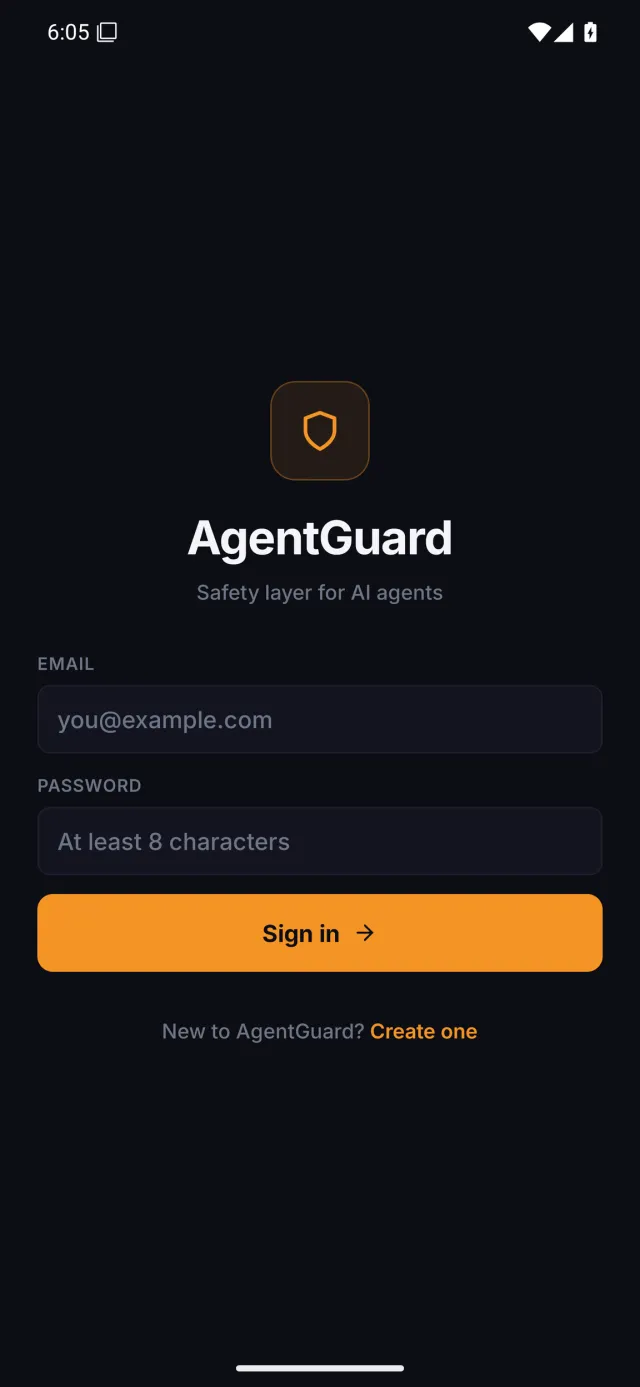
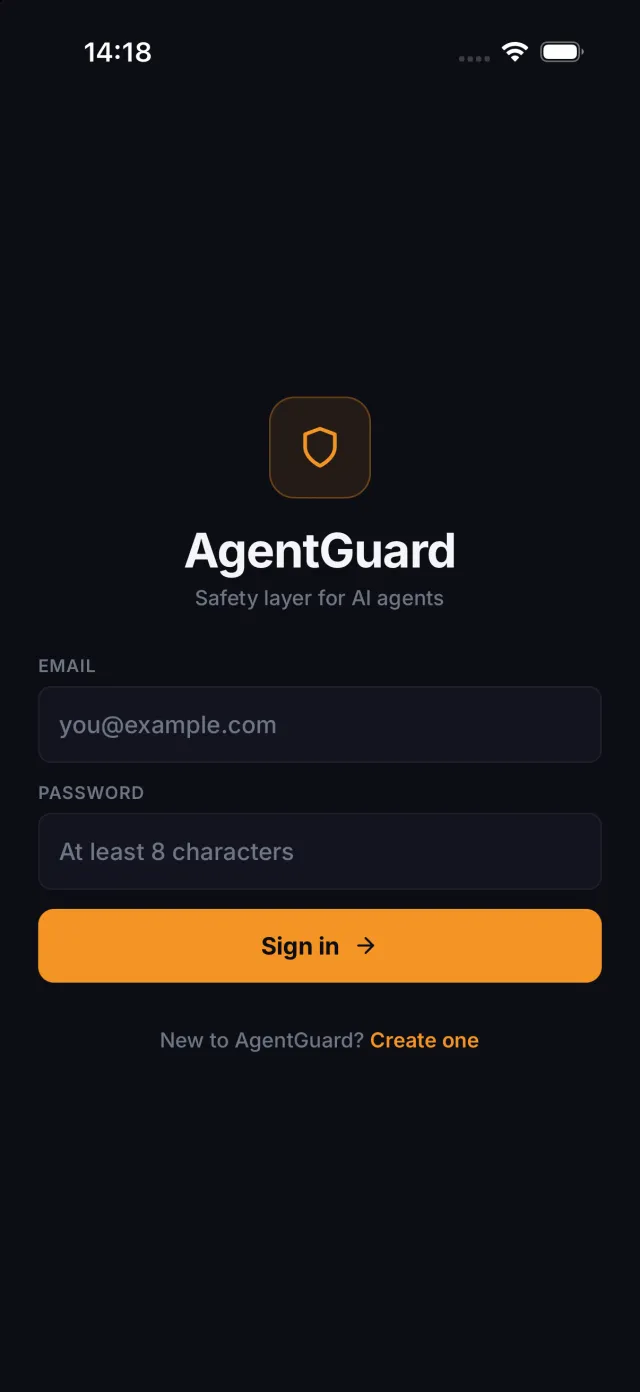
AgentGuard opens on a sign-in screen. On the iPhone, tapping Create one switched the form to Create account, so the app’s code was running. We confirmed that both builds carry the published server’s address, but we didn’t sign in. With your own app and account, sign in once on each platform to check that requests reach your server.
Because a preview build doesn’t need your computer, other people can open it too. Go to Sharing in the dashboard, choose Share an app, select your app, then Send a link. Whoever gets the link uses your app in their browser. They need no install, no Expo Go and no Replit account. Time they spend uses your streaming minutes. More options are in Sharing your app.
When a build stops, VibeView reads its log and names the error line. For the two problems a Replit project usually hits, it also says what to change:
Cannot find module 'babel-preset-expo'. The hint says babel.config.js uses the preset, but package.json doesn’t list it, and gives the npx expo install command from step 4.@rollup/rollup-darwin-arm64. The hint names Replit’s template, says to delete the darwin lines in overrides, and to refresh the lockfile, as in step 3.Each failed build on Activity names its error, and the build’s page gives the fix.
Replit’s template doesn’t name a pnpm version, and you don’t have to add one: the build picks pnpm 10 for Replit’s lockfile (Which pnpm cloud builds use). To use the same version everywhere, add "packageManager": "pnpm@10.26.1" to the top package.json.
If you used GitHub, Replit and your computer now share one repository. Pull your changes into Replit before you ask Agent for more work. We haven’t tested whether Agent keeps your edits to pnpm-workspace.yaml, package.json and app.json, or how it treats vibeview.json. After Agent changes the project, check that the darwin lines are still gone, babel-preset-expo is still listed, and origin still has your address.
Once vibeview.json is committed, the VibeView GitHub App can start a build when you push. Each one uses build minutes, so pick only the branches you ship from.
The preview build runs on cloud devices only. A store needs a signed build, made by a production profile in vibeview.json whose command starts with pnpm install --frozen-lockfile && cd artifacts/mobile, like the commands in step 6.
An Expo app has no native folders to hold signing settings, so it needs a small config plugin for that. Build an Expo app without EAS explains it. With that plugin, AgentGuard’s signed Android build for Google Play succeeded. We haven’t uploaded it to a store, or made a signed iPhone build of it. App Signing and Store Submission cover signing and uploads.
Replit’s mobile template is set up for phones, with no Apple TV or Android TV configuration, and we haven’t tried adding one. VibeView itself runs apps on iOS, Android, Apple TV, Android TV and Roku; TV Testing explains the TV side.
origin in app.json and EXPO_PUBLIC_DOMAIN in vibeview.json (step 5), commit and build again.Input is required after prebuild. The command is missing --no-install. Use the iPhone command from step 6.artifacts/mobile. Run it from the top folder."defaultPlatform" must be one of …. Your vibeview.json is missing defaultPlatform. Add it as in step 6.com.anonymous. You skipped the app id question. Set ios.bundleIdentifier and android.package in artifacts/mobile/app.json, or answer the question on your next build.Not today. Replit’s docs say publishing to Google Play is not yet supported. A signed Android build made with VibeView can be uploaded to Google Play (see Store Submission).
Not for anything in this guide. Replit’s own App Store flow uses an Expo project, because it builds on Expo’s servers. VibeView builds and runs the app without one.
It’s good for trying changes while you build, on Replit’s paid plans. A VibeView build is your app as it will ship, and you can send it to anyone as a link.
Only settings, not app code: the origin in app.json, one package, the darwin lines in pnpm-workspace.yaml, and your server’s address in vibeview.json. The CLI adds the app id. AgentGuard needed nothing more.
Yes, as far as VibeView goes: the iPhone build happens on a cloud Mac, and you use the result in a browser. Nothing in the setup steps needs a Mac, but we’ve only run them on one so far.
Open a live iOS simulator, Android emulator, Apple TV, Android TV or Roku in your browser.
Start free